
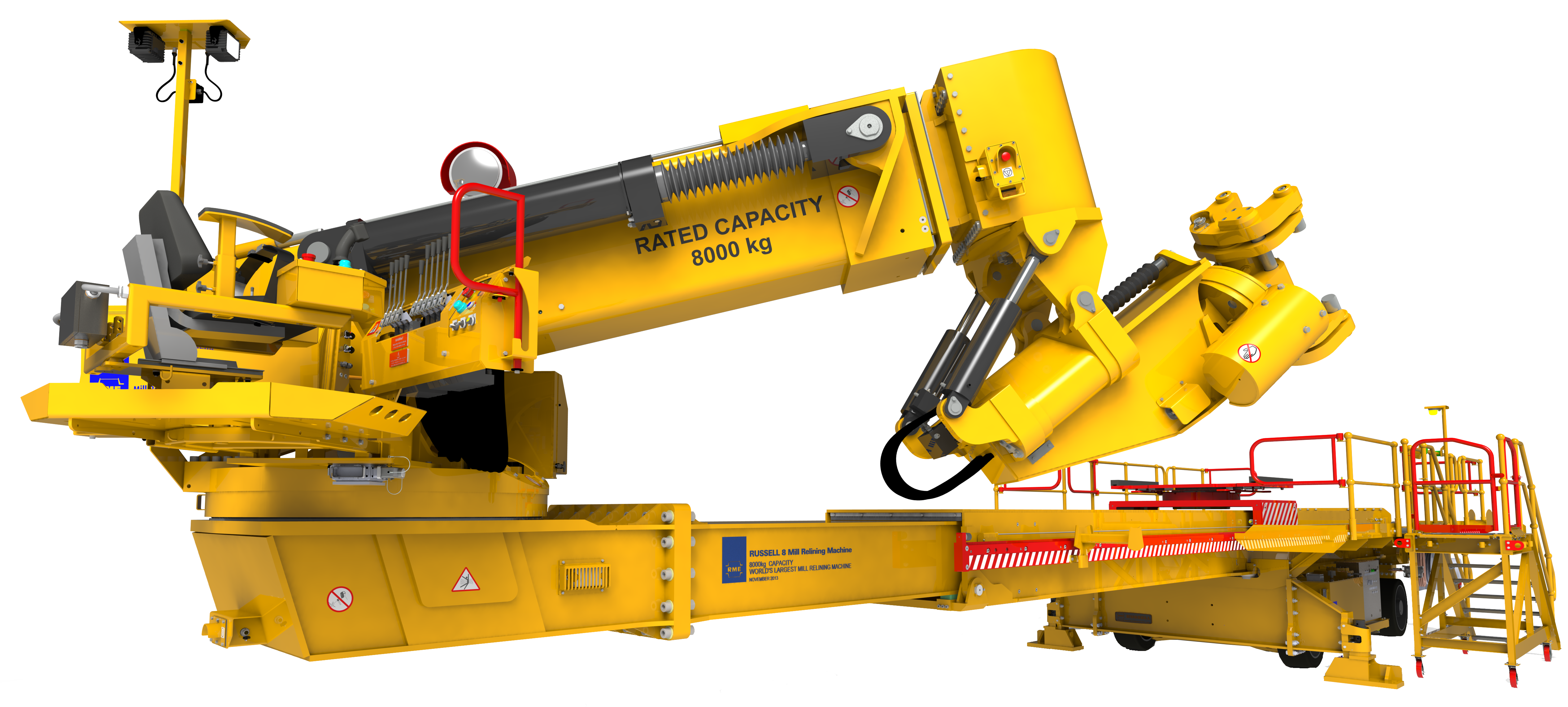
Render of a yellow industrial machine designed with SOLIDWORKS

Design & engineering

SOLIDWORKS Design

The industry-standard 3D CAD solution, with cloud collaboration and secure file management built into your workflow.

What is SOLIDWORKS Design?

SOLIDWORKS Design is the reference 3D CAD solution for professionals who need to push design innovation further, bring products to market faster and reach high levels of product development efficiency. Three decades of user-driven improvements make it powerful, easy to learn and enjoyable to use.

What is 3D CAD? →
  • Professional 3D CAD

    Create parts, assemblies, drawings and production-ready documentation.

  • Intuitive interface

    Designed by engineers for engineers. Customizable for any industry or company size.

  • Design as a team

    Share designs, get feedback directly on the 3D model and keep version control.

  • Built-in AI

    Drawing automation and 3D modeling assistance that reduce repetitive tasks.

Everything you need to go from design to manufacturing

From complex parts and assemblies to simulation, rendering, AI assistants and production-ready associative drawings.

From design to manufacturing

  • Parts, assemblies and solid modelingPerformance for complex products and large assemblies, with large design review.
  • Professional drawingsFast, associative and production-ready, in 2D or with 3D annotations.
  • Improvements all year longNew capabilities and performance enhancements so you always work with the latest tools.
Boost your daily productivity

  • Specialized functionalityWeldments, routing, mold design, sheet metal and much more.
  • SOLIDWORKS ToolboxHoles and standard hardware: fasteners, washers, nuts and bolts.
  • Designed by engineers for engineersOver 30 years of user-driven improvements.

Turn documentation into a conversation

  • Share with secure linksSend designs for review without sending files or losing control of your data.
  • 3D markupMultiple people comment directly on the 3D model in a browser.
  • No extra softwareInternal and external collaborators review without installing viewers.

Hassle-free design

  • CAD-aware storageCloud storage that understands the relationships between CAD files.
  • Full version controlAlways work on the latest revision and avoid overwriting changes.
  • AI assistancePredictive and automated features that reduce repetitive tasks.

SOLIDWORKS Design packages

We help you choose the right package for your projects and the way your team works.

SOLIDWORKS Design Standard

★ The ideal starting point

Professional 3D design with essential CAD tools and cloud collaboration.

Get a SOLIDWORKS Quote

SOLIDWORKS Design Professional

★ For manufacturing teams

Everything in Standard plus advanced tools for piping, conduit, harnesses and drawing standards checking.

Get a SOLIDWORKS Quote

SOLIDWORKS Design Premium

★ For advanced engineering

Includes linear static and motion analysis to validate your designs.

Get a SOLIDWORKS Quote

SOLIDWORKS Design Ultimate

★ The most complete offering

Design, simulation, manufacturing and visualization in a single package.

Get a SOLIDWORKS Quote

Compare SOLIDWORKS versions

Explore what Standard, Professional, Premium and Ultimate include and choose the one that best fits your work.

✓ Included · — Not included

Swipe horizontally to see all packages →

CapabilityStandardProfessionalPremiumUltimate
3D design and modeling
Part and Assembly ModelingTurn ideas and concepts into virtual 3D models.
2D Drawings and 3D Manufacturing DocumentationProduction-ready 2D drawings or drawingless design with 3D dimensions and tolerances.
Productivity ToolsEasily analyze, compare, check, and report on your designs.
Design Reuse and AutomationSearch, automation and configuration tools to speed up new designs.
Resolving Manufacturing Issues Before Going to ManufacturingVerify fit, assembly, draft, thickness and clearances.
Advanced CAD File Import/ExportOver 30 translators to exchange data with other CAD applications.
Linked CAD ModelsUse models in other CAD formats while keeping associativity to the original.
Industry 3D Component CatalogOver 50 million components from manufacturers worldwide.
Specialized Design ToolsSheet metal, plastic and cast parts, weldments, molds, tooling and dies.
Intelligent CAD LibrariesStandard fasteners that configure and assemble automatically.
CAD Standards and Drawings CheckingCheck drawings and models against your design standards.
Automated Tolerance Stackup AnalysisCheck the effects of tolerances on parts and assemblies.
Manufacturing Cost AnalysisAutomatic cost estimation integrated in the 3D CAD solution.
Reverse EngineeringCreate solid geometry from scanned mesh and point cloud data.
Advanced Surface FlatteningFlatten complex surfaces found in textiles and metal stamping.
Pipe and Tube RoutingDesign and documentation of piping and tubing systems.
Electrical Cable and Wiring Harness Routing3D electrical routing and flattened harness drawings.
Duct and Tray RoutingDucting, cable trays, conveyors and material-handling chutes.
Cloud 3D design and modeling
Parametric ModelingCreate, review, and evaluate 3D models using an intuitive 3D CAD solution.
2D Drawings and 3D Manufacturing Documentation3D model-based definition and 2D drawings in one integrated solution.
Subdivision/Freeform ModelingDifficult organic shapes, integrated with parametric design.
Specialized Design ToolsSpeed up the design of sheet metal, weldments, and molds.
AI capabilities
Integrated Virtual Companion for Mechanical DesignAI skills for Intent to CAD, design validation, engineering guidance, documentation and assembly optimization.
Integrated Virtual Companion for Knowledge and Know-howRelevant answers and summaries of community posts, wikis and help.
Simulation
Linear Static Analysis for Parts and AssembliesStresses and deformations using Finite Element Analysis (FEA).
Motion AnalysisForces, loads and motor sizing through the operational cycle.
Cloud Computing for Structural AnalysisStatic, thermal, modal and buckling loads with Abaqus technology in the cloud.
Cloud-Based Motion AnalysisKinematics, dynamic behavior and interference in the cloud.
Cloud collaboration
Cross-Discipline CollaborationDashboards, communities, Kanban tasks, chat and video calls.
Share and MarkupShare and mark up your 3D designs in the cloud from SOLIDWORKS.
ECAD/MCAD CollaborationShare, compare and update electrical and mechanical design data.
Project and Resource ManagementProject planning, monitoring and execution connected to design data.
Lean TeamworkLean principles to plan, facilitate and complete objectives.
Cloud data management
Store and ReviseSecure online storage, design locking, revisions and markups.
Data and Lifecycle ManagementRevision control and change and approval workflows.
AdministrationUpgrade software, manage users, and assign licenses.
Release ManagementShared product definition aligned with corporate standards.
Product Structure ManagementCreate and explore multi-CAD product structures in a single context.
Local data management
Local Data ManagementManage project data and control design revisions and access to files.***
Manufacturing
Additive ManufacturingPrepare models and print directly to a 3D printer.
3-axis NC Machining and Machine Simulation3-axis and 3+2-axis machining, machine simulation and EDM.
Sheet Metal Nesting and NC ProgrammingAdvanced and production nesting with NC programming.
Marketing
Animation and VisualizationBasic CAD videos, renderings, animations, and 3D walk-throughs.
AR/VR ExporterExport CAD data for AR, VR, and web viewing experiences.
Advanced Photorealistic Rendering with Artificial IntelligencePhotorealistic renderings with AI to reduce render times.
Advanced Lighting Techniques for Sun and SkySimulate lighting at a specific location and time.
Advanced Photorealistic Animations and Immersive Virtual RealityExploded views, cameras and VR experiences with 360-degree cameras.******
User Guides, Training Manuals, and Assembly DocumentationInteractive product presentations and technical illustrations.
Training and support
SupportPersonalized support from a certified local partner.
TrainingOver 440 learning modules and on-demand videos.

* Available only with a device license.

** Available only with a single-user license.

Whichever version you choose, backed by 3Designers.

We help you choose the right tools for your projects and support your team with implementation, official training and local technical support from certified specialists.

Let's talk about your projects →

SOLIDWORKS Design capabilities

From part and assembly modeling to production-ready drawings: from idea to manufacturing with greater precision.

  • Parts and assemblies

    Parametric 3D modeling, complex assemblies and large design review.

  • Professional drawings

    Associative 2D drawings, automatic updates and 3D annotations.

  • Specialized tools

    Sheet metal, weldments, molds, piping, conduit and electrical harnesses.

  • AI and automation

    Automatic drawing generation and fastener recognition.

  • Cloud and collaboration

    CAD-aware storage, secure revisions and 3D markup in the browser.

  • Integrated manufacturing

    CAM, additive manufacturing, sheet metal nesting and manufacturing cost analysis.

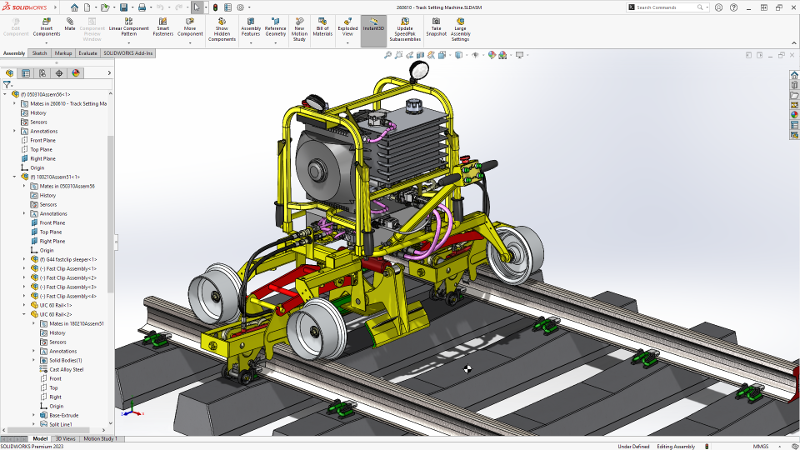
Rail machine assembly open in SOLIDWORKS

Frequently asked questions

What is SOLIDWORKS Design used for?

It is parametric design software used in every stage of product development: industrial equipment, medical devices, high tech, home and lifestyle, and more.

Is there a free trial?

Yes. You can try SOLIDWORKS for free and, when you are ready, we help you choose the right version.

Is it easy to learn?

Yes. It is taught in thousands of universities and schools. At 3Designers we also deliver official SOLIDWORKS training, onsite and remote.

Does it run in the cloud?

SOLIDWORKS Design is installed locally on your computer and connects to the cloud to share, review and manage versions.

Is it the same as SOLIDWORKS xDesign?

No. SOLIDWORKS Design is the desktop 3D CAD application; xDesign is a CAD solution that runs entirely in the browser.

Does it include AI assistants?

Yes. It includes AI features such as automatic drawing generation and 3D modeling assistance.

What do you want to achieve with SOLIDWORKS?

Tell us what your team designs and the challenges it faces. At 3Designers we help you choose the version and tools that best fit its work.