
Design solutions

SOLIDWORKS Electrical

Connect your electrical schematics with your equipment design.

Create intelligent schematics, automate documentation and coordinate components and wiring with the 3D model. At 3Designers, we help you select and implement the tools your team needs.

Let’s discuss your projectSee how it works ↓

Capabilities depend on the selected product combination.

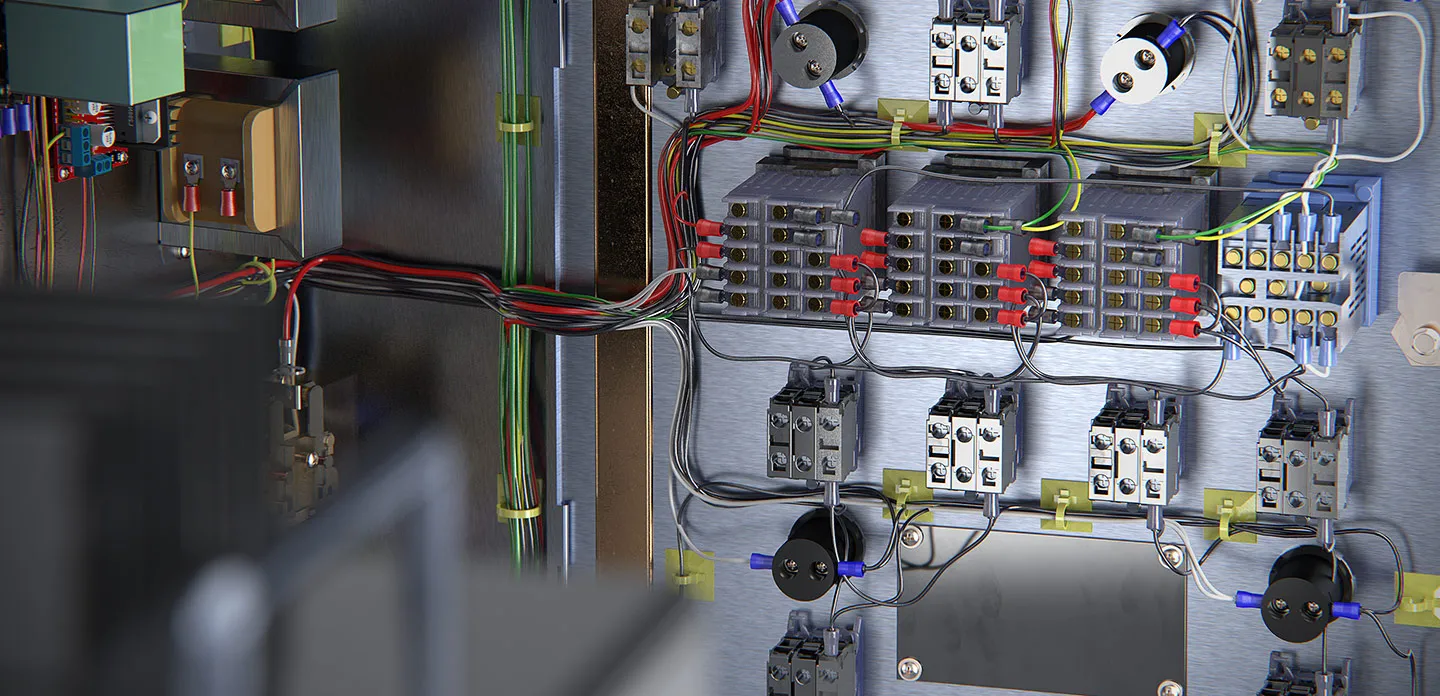
Open electrical control panel with wiring, terminal blocks and components

Connected information. Fewer manual updates.

When components or connections change, the information your team needs changes too. SOLIDWORKS Electrical helps keep it connected within the project to support design and documentation preparation.

For teams designing control panels, machinery, electrical equipment and harnesses.

Build on what you have already designed

Reuse circuits and libraries to carry your work forward across projects.

Prepare consistent documentation

Reduce manual numbering and reporting tasks when the design changes.

Coordinate before assembly

With the right combination, connect schematics with the assembly to review components and wiring.

From schematics to documentation and assembly.

Explore how the tools support each part of the work and the information they help prepare.

Electrical Schematic

Develop schematics with connected information.

Work with symbols, components and connections within the project. Use libraries and documentation tools to prepare schematics and 2D panel layouts.

  • Single-line and multi-line schematics.
  • Symbol and component libraries.
  • 2D panel component layouts.
Example electrical schematic with connections and identifiers.

Electrical Schematic

Build on circuits from previous projects.

Organize reusable circuits as macros. When you add them to another design, identifiers and numbering update to reduce repetitive work.

Macro library for circuit reuse.

Electrical Schematic

Prepare documentation for assembly.

Generate reports from project information and prepare documentation for connections, materials and wires. Review deliverables before releasing them to manufacturing.

  • Bills of materials.
  • Wire and connection lists.
  • Terminal and harness documentation.
Example harness documentation with connections and tables.

Electrical 3D + Schematic Professional + SOLIDWORKS Design

Review the panel layout in 3D.

Connect the schematic with the mechanical assembly to place components and coordinate wiring within the equipment. Review the available space before assembly.

Electrical cabinet integrated into a machine’s 3D model.

Electrical 3D

Plan wires and harnesses before assembly.

Define routes and calculate lengths within the 3D model. Use routing tools to prepare the wiring design and its documentation.

3D harness model with branches and connectors.

Coordinating schematics and the 3D model requires Electrical Schematic Professional, Electrical 3D and a compatible SOLIDWORKS Design configuration. We help you review your team’s requirements.

See how each part of the process works.

Two walkthroughs covering schematics and coordination with the 3D design.

Electrical Schematic

Electrical schematics and documentation

Explore libraries, schematic design, 2D panel layouts and report generation.

Official video in English.

Electrical Professional

From schematics to 3D design

Discover how electrical and mechanical work connect within the Electrical Professional offering.

Customer experience

How Prodeinca connects cabinet design with electrical documentation.

Prodeinca shares how it uses 3D modeling to develop its cabinets and electrical schematics to guide shop-floor assembly, with implementation, training and technical follow-up from 3Designers.

Prodeinca · Industrial electrical equipment manufacturing

Video in Spanish.

Choose based on what you need to design.

You can start with schematics and documentation or also connect electrical work with the 3D model.

SOLIDWORKS Electrical Schematic

For developing electrical schematics and documentation.

  • Intelligent schematics and circuit reuse.
  • Project numbering and reports.
  • Standard and Professional options based on the capabilities needed.

SOLIDWORKS Electrical 3D

For bringing electrical information into the mechanical assembly.

  • 3D component layouts.
  • Wire and harness routes.
  • Connected work with Schematic Professional and SOLIDWORKS Design.

SOLIDWORKS Electrical Professional

Combines Schematic Professional and Electrical 3D in one offering.

  • Schematic and documentation tools.
  • 3D electrical design capabilities.
  • Coordination between schematics and the mechanical model.

Electrical Professional combines Schematic Professional and Electrical 3D. The SOLIDWORKS Design license and other requirements for working in the mechanical environment are reviewed separately.

Compare SOLIDWORKS Electrical capabilities.

Review the differences between Electrical 3D, Schematic Professional and Schematic Standard. Electrical Professional combines Schematic Professional and Electrical 3D.

CapabilityElectrical 3DElectrical Schematic ProfessionalElectrical Schematic Standard
Single-line schematicsDiagrams with pictorial symbols to document electrical systems.
Multi-line schematicsCreation of complex schematics and repetitive tasks.
Electrical component libraryBuilt-in manufacturer part libraries, import wizards and links to datasheets.
2D cabinet creation2D representations of electrical panels from the schematic.
Design and reuseSmart cut/paste, favorites and import of external elements.
Report generationAutomatic reports from the design database.
Electrical design in 3D CADCable, harness and wire routing, automatic routing from the schematic and length calculation before assembly.
3D cabinet designComplete 3D electrical cabinet designs synchronized in real time.

✓ Included · — Not included

This table compares capabilities by product. Integrations require the corresponding combination and licenses; a checkmark does not mean other products are included.

Electrical data integration with PDM Professional and thermal analysis with Flow Simulation are assessed separately.

Do you also work with circuit boards?

CircuitWorks facilitates information exchange between circuit board design and the mechanical model in SOLIDWORKS.

Bring these tools into your team’s workflow.

At 3Designers, we start with what you design, the documentation you deliver and how your team coordinates its work across Central America and the Caribbean.

  1. 1

    We understand your process

    We review your schematics, deliverables and coordination needs to identify where each tool can help.

  2. 2

    We define the solution with you

    We help you select the relevant combination and define the implementation scope for the solutions you purchase.

  3. 3

    We prepare and support your team

    Through official training and specialized support, we help your team use the tools and resolve everyday technical difficulties.

Frequently asked questions

What is the difference between Schematic, Electrical 3D and Electrical Professional?

Schematic focuses on schematics and documentation. Electrical 3D connects information from Schematic Professional with the mechanical model. Electrical Professional combines Schematic Professional and Electrical 3D.

Can we start without working in 3D?

Yes. We can assess Schematic for schematics and documentation, then review adding 3D workflows when your process requires them.

Can we reuse circuits and prepare reports?

Yes. Schematic supports circuit reuse and report generation from project data. The extent of customization depends on the selected option.

Does Electrical 3D include a SOLIDWORKS Design license?

You should not assume that it does. We review the SOLIDWORKS Design license and other configuration requirements alongside the Electrical tools.

Does the SOLIDWORKS free trial let us evaluate Electrical?

The free trial linked on other pages of this website does not include Electrical. Tell us what you need to evaluate so we can guide you through the product and available options.

Does 3Designers support implementation and learning?

Yes. We help you define the solutions and implementation scope, with official training and specialized support according to the services purchased.

Let’s discuss your electrical design.

Tell us what your team designs, the documentation it needs and where rework builds up. We will help you identify the relevant SOLIDWORKS Electrical tools for your project.