
SOLIDWORKS AI
Less repetitive work. More time to design.
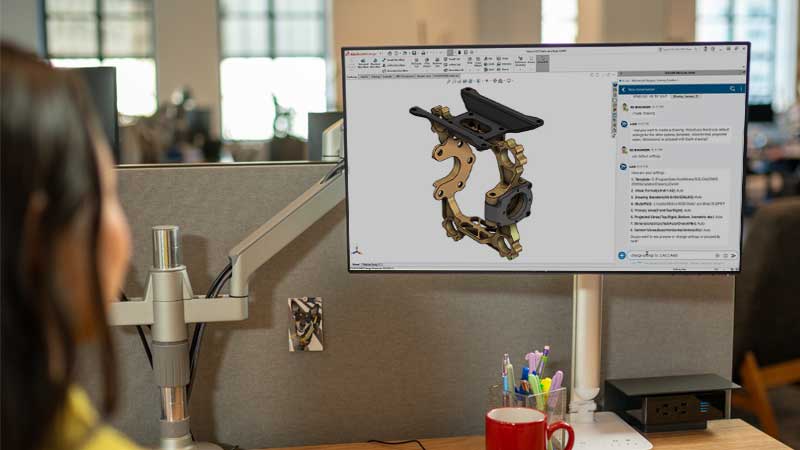
Bring AI into your team’s everyday work with SOLIDWORKS Design. Find technical information, streamline drawing preparation, and get assistance within your design environment.

AI for everyday engineering tasks
Get guidance as you design
Access relevant documentation and knowledge, ask questions in natural language, and get help understanding tools and procedures.
Streamline drawing preparation
Generate 2D drawings from 3D models, including views, dimensions, and annotations. Define your starting criteria and review the output before using it in manufacturing.
Organize assembly work
Generate an initial assembly and subassembly structure using natural-language instructions. Review and adjust the hierarchy as a starting point for developing your design.
Available capabilities evolve with software updates. Confirm which features you can use with your version and configuration.
Meet AURA and LEO
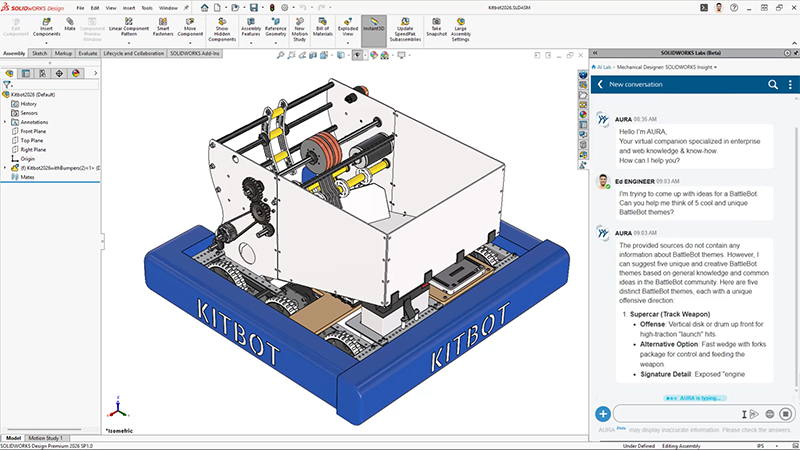
AURA · Knowledge and guidance
Helps you consult documentation, explore information, and summarize content to support your engineering work.
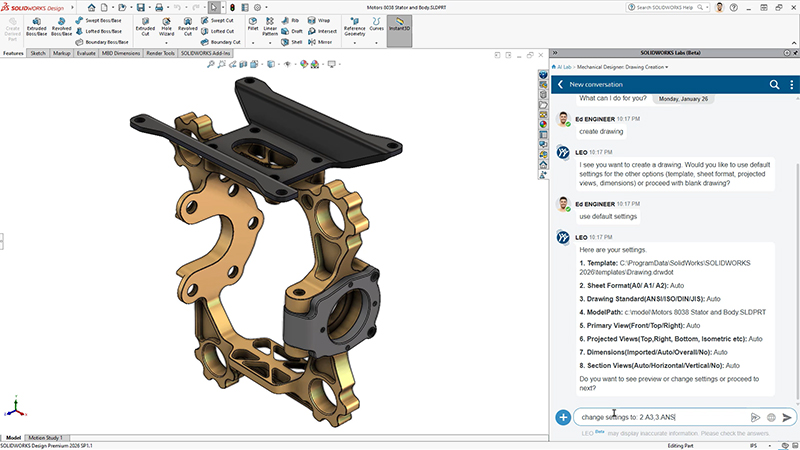
LEO · Assistance with design tasks
Lets you request actions in natural language to streamline tasks such as generating drawings and assembly structures.
Your team remains responsible for reviewing the results and approving design decisions.
SOLIDWORKS AI explained by its leaders
Engineering Needs More Than Generic AI
Can AI Replace Engineers? Humans in the Loop
Can SOLIDWORKS AI Think Like a Design Engineer?
Can You Trust SOLIDWORKS AI with Your Designs?
Videos from the official SOLIDWORKS channel.
How can you get access?
Access to AURA and LEO is provided without an additional license for commercial customers of SOLIDWORKS Design Offer and SOLIDWORKS Design with Cloud Services.
AI usage is measured through tokens. Access to the companions does not mean unlimited usage.
At 3Designers, we review your licensing, software version, and Cloud Services access to help you understand the requirements and options available to your team.
Frequently asked questions
Do I need to move all my files to the cloud?
Activating the companions does not require migrating all your files. You can keep your existing data organization and review the requirements for each capability.
How is my design information protected?
SOLIDWORKS states that its AI models are trained on its own or synthetic data and that it does not use proprietary customer information for training without express written permission. Refer to the current Dassault Systèmes policies for the applicable terms.
Is it available for educational licenses?
The access conditions described here apply to commercial offerings. If you use SOLIDWORKS Education, contact us to check availability and requirements for your institution.
Bring AI into your workflow with guidance from 3Designers
We help you identify relevant applications for your team, review access requirements, and take your first steps with the available tools.