
Official SOLIDWORKS® training and certification
Build the skills your team needs.
Learn through official training programs backed by our team’s technical expertise. We help you choose the right training for your experience, the tools you use and your goals.
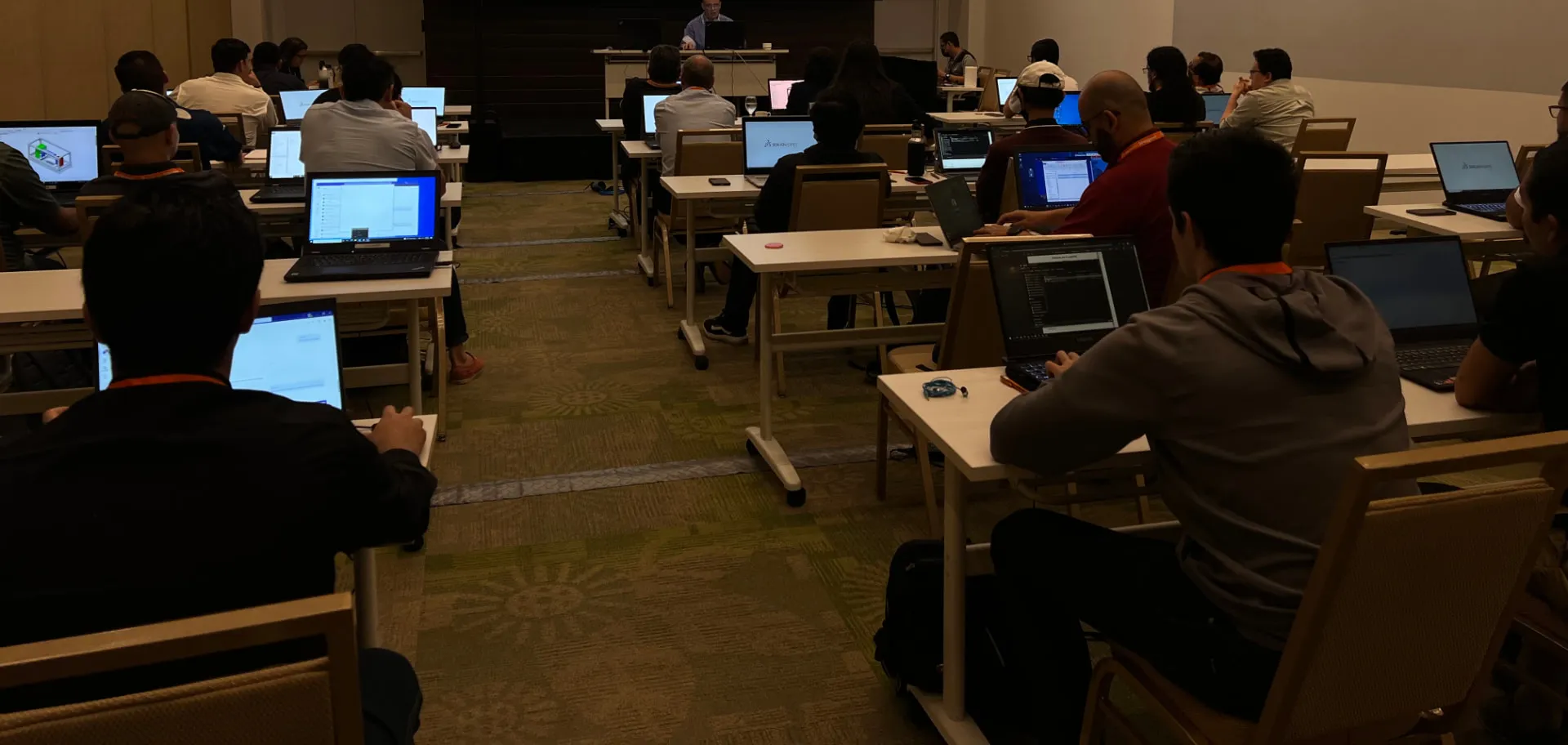
Official training backed by technical expertise.
Our team holds Certified SOLIDWORKS Instructor, Certified SOLIDWORKS Professional (CSWP) and Certified SOLIDWORKS Expert (CSWE) credentials, as well as the ELITE Applications Engineer distinction. We bring this knowledge to official training content, structured explanations and guided practice.
Certified SOLIDWORKS Instructor
Recognizes preparation to deliver SOLIDWORKS training and supports the teaching approach used in our sessions.
CSWP and CSWE
Validate the technical knowledge of members of our team through SOLIDWORKS certification exams.
ELITE Applications Engineer
This SOLIDWORKS distinction is represented within our team and contributes to the technical expertise behind our consulting, training and support.
How official training is developed: a conversation with Joe Rousseau on The PodCAD → (Opens in a new tab) · thepodcad.com
Find your starting point.
The right training depends on what you already know and what you need to do with the software.
I am getting started
SOLIDWORKS Design Essentials builds the foundations for creating parts, assemblies and drawings. We review the required prior knowledge with you.
View EssentialsI want to build on my skills
Explore training in assemblies, surfaces, sheet metal, simulation, manufacturing and other applications.
Explore by areaI want to prepare for certification
We help you identify a certification goal and the knowledge to strengthen based on your experience.
Explore certifications
Official training catalog.
Explore training by area and review the learning objective, duration and prior knowledge. We help you define a proposal for your team's needs.
Durations refer to the standard official training program. Scheduling, delivery format and availability are confirmed in the proposal.
| Training | Duration | Learning objective and prior knowledge | Action |
|---|---|---|---|
| SOLIDWORKS Design Essentials | Duration: 4 days | Create parametric part and assembly models and produce their drawings. Prior knowledge: Mechanical design experience and familiarity with Windows. | Ask about this training: SOLIDWORKS Design Essentials View outline (PDF, EN): SOLIDWORKS Design Essentials (opens in new tab) |
| Drawings | Duration: 3 days | Produce drawings from SOLIDWORKS parts and assemblies. Prior knowledge: Essentials. | Ask about this training: Drawings View outline ISO (PDF, EN): Drawings (opens in new tab)View outline ANSI (PDF, EN): Drawings (opens in new tab) |
| Assembly Modeling | Duration: 3 days | Develop your use of assembly modeling tools. Prior knowledge: Essentials. | Ask about this training: Assembly Modeling View outline (PDF, EN): Assembly Modeling (opens in new tab) |
| Advanced Part Modeling | Duration: 3 days | Model complex geometry with multibody solids, sweeps and lofts. Prior knowledge: Essentials. | Ask about this training: Advanced Part Modeling View outline (PDF, EN): Advanced Part Modeling (opens in new tab) |
| Surface Modeling | Duration: 2 days | Build freeform geometry using surface modeling tools. Prior knowledge: Essentials and Advanced Part Modeling. | Ask about this training: Surface Modeling View outline (PDF, EN): Surface Modeling (opens in new tab) |
| Mold Design | Duration: 2 days | Apply mold creation techniques and use SOLIDWORKS mold tools. Prior knowledge: Advanced Part Modeling. | Ask about this training: Mold Design View outline (PDF, EN): Mold Design (opens in new tab) |
| Sheet Metal | Duration: 2 days | Create sheet metal parts and convert existing geometry to sheet metal. Prior knowledge: Essentials. | Ask about this training: Sheet Metal View outline (PDF, EN): Sheet Metal (opens in new tab) |
| Weldments | Duration: 1.5 days | Create welded structures with structural members and weld beads. Prior knowledge: Essentials. | Ask about this training: Weldments View outline (PDF, EN): Weldments (opens in new tab) |
| Advanced Topics | Duration: 5 days | Combine selected lessons in assemblies, advanced parts, surfaces, sheet metal and weldments. Prior knowledge: Essentials, mechanical design experience and familiarity with Windows. | Ask about this training: Advanced Topics View outline (PDF, EN): Advanced Topics (opens in new tab) |
| Refresher | Duration: 4 days | Refresh part and assembly skills after a period away from regular software use. Prior knowledge: Mechanical design, Windows and previous experience with SOLIDWORKS or another CAD tool. | Ask about this training: Refresher View outline (PDF, EN): Refresher (opens in new tab) |
| SOLIDWORKS MBD | Duration: 1 day | Present product and manufacturing information and publish 3D views to PDF. Prior knowledge: Essentials. | Ask about this training: SOLIDWORKS MBD View outline (PDF, EN): SOLIDWORKS MBD (opens in new tab) |
| Routing - Electrical | Duration: 2 days | Create, edit and manage electrical routes in 3D. Prior knowledge: Essentials. | Ask about this training: Routing - Electrical View outline (PDF, EN): Routing - Electrical (opens in new tab) |
| Routing - Piping and Tubing | Duration: 2 days | Create, edit and manage piping and tubing routes in assemblies. Prior knowledge: Essentials. | Ask about this training: Routing - Piping and Tubing View outline (PDF, EN): Routing - Piping and Tubing (opens in new tab) |
| File Management | Duration: 1 day | Understand file references, associativity and organization in shared working environments. Prior knowledge: General experience with SOLIDWORKS Design and Windows. | Ask about this training: File Management View outline (PDF, EN): File Management (opens in new tab) |
| API Fundamentals | Duration: 3 days | Automate tasks and customize SOLIDWORKS through its API. Prior knowledge: Essentials and Visual Basic programming. | Ask about this training: API Fundamentals View outline (PDF, EN): API Fundamentals (opens in new tab) |
| DraftSight Essentials | Duration: 2 days | Work with 2D drawings and designs for manufacturing. Prior knowledge: Familiarity with Windows, DraftSight installed and completion of the assigned preparation. | Ask about this training: DraftSight Essentials View outline (PDF, EN): DraftSight Essentials (opens in new tab) |
| Training | Duration | Learning objective and prior knowledge | Action |
|---|---|---|---|
| SOLIDWORKS Simulation | Duration: 3 days | Work through finite element analysis, from meshing to interpreting results. Prior knowledge: Knowledge of SOLIDWORKS Design and basic mechanical engineering is recommended. | Ask about this training: SOLIDWORKS Simulation View outline (PDF, EN): SOLIDWORKS Simulation (opens in new tab) |
| SOLIDWORKS Simulation Professional | Duration: 1 day | Develop skills in thermal, frequency, fatigue and linear buckling analysis. Prior knowledge: Introductory Simulation training or equivalent working knowledge; SOLIDWORKS Design and basic mechanical engineering are recommended. | Ask about this training: SOLIDWORKS Simulation Professional View outline (PDF, EN): SOLIDWORKS Simulation Professional (opens in new tab) |
| SOLIDWORKS Simulation Premium: Nonlinear | Duration: 2 days | Study large displacements and nonlinear material behavior. Prior knowledge: Basic Simulation training, or SOLIDWORKS Design experience with working knowledge of finite elements and mechanical principles. | Ask about this training: SOLIDWORKS Simulation Premium: Nonlinear View outline (PDF, EN): SOLIDWORKS Simulation Premium: Nonlinear (opens in new tab) |
| SOLIDWORKS Simulation Premium: Dynamics | Duration: 2 days | Evaluate structures under dynamic loads and different vibration conditions. Prior knowledge: Basic Simulation training, or SOLIDWORKS Design experience with working knowledge of finite elements and mechanical principles. Vibration knowledge is recommended. | Ask about this training: SOLIDWORKS Simulation Premium: Dynamics View outline (PDF, EN): SOLIDWORKS Simulation Premium: Dynamics (opens in new tab) |
| SOLIDWORKS Motion | Duration: 2 days | Study assembly kinematics and dynamic behavior. Prior knowledge: SOLIDWORKS Design and MotionManager fundamentals. Basic mechanical engineering is recommended. | Ask about this training: SOLIDWORKS Motion View outline (PDF, EN): SOLIDWORKS Motion (opens in new tab) |
| SOLIDWORKS Flow Simulation | Duration: 2 days | Get started with fluid flow analysis, including meshing, setup and result review. Prior knowledge: Some experience with SOLIDWORKS Design. | Ask about this training: SOLIDWORKS Flow Simulation View outline (PDF, EN): SOLIDWORKS Flow Simulation (opens in new tab) |
| SOLIDWORKS Plastics | Duration: 3 days | Evaluate plastic flow during injection molding and anticipate potential manufacturing defects. Prior knowledge: Essentials and basic knowledge of plastic materials, plastic part design or injection mold design. | Ask about this training: SOLIDWORKS Plastics View outline (PDF, EN): SOLIDWORKS Plastics (opens in new tab) |
| Training | Duration | Learning objective and prior knowledge | Action |
|---|---|---|---|
| Using SOLIDWORKS PDM | Duration: 1 day | Build the fundamental skills needed to manage files with PDM. Prior knowledge: Basic SOLIDWORKS Design and Windows experience; knowledge of SOLIDWORKS file structure and references. | Ask about this training: Using SOLIDWORKS PDM View outline (PDF, EN): Using SOLIDWORKS PDM (opens in new tab) |
| Administering SOLIDWORKS PDM | Duration: 2 days | Build the foundations for setting up and administering SOLIDWORKS PDM. Prior knowledge: Using SOLIDWORKS PDM, basic PDM and Windows experience, and knowledge of file structure and references. | Ask about this training: Administering SOLIDWORKS PDM View outline (PDF, EN): Administering SOLIDWORKS PDM (opens in new tab) |
| Using the 3DEXPERIENCE Platform with SOLIDWORKS Design | Duration: 1 day | Save data to the platform, manage revisions and collaborate with your team. Prior knowledge: Essentials, Windows and Internet use. | Ask about this training: Using the 3DEXPERIENCE Platform with SOLIDWORKS Design View outline (PDF, EN): Using the 3DEXPERIENCE Platform with SOLIDWORKS Design (opens in new tab) |
| Administrators Training for SOLIDWORKS Design with Cloud Services | Duration: 1 day | Learn platform administration settings and Cloud Services features for design and collaboration. Prior knowledge: Be the administrator of a 3DEXPERIENCE platform; familiarity with Windows and the Internet. | Ask about this training: Administrators Training for SOLIDWORKS Design with Cloud Services View outline (PDF, EN): Administrators Training for SOLIDWORKS Design with Cloud Services (opens in new tab) |
| Web-Based Tools for SOLIDWORKS Design | Duration: Half a day | Explore web tools to share, review, store, search and manage design data. Prior knowledge: Essentials, Windows and Internet use. | Ask about this training: Web-Based Tools for SOLIDWORKS Design View outline (PDF, EN): Web-Based Tools for SOLIDWORKS Design (opens in new tab) |
| Training | Duration | Learning objective and prior knowledge | Action |
|---|---|---|---|
| SOLIDWORKS Electrical - Schematic | Duration: 3 days | Work on 2D electrical schematic design with SOLIDWORKS Electrical. Prior knowledge: Contact us to review the experience your team needs. | Ask about this training: SOLIDWORKS Electrical - Schematic View outline (PDF, EN): SOLIDWORKS Electrical - Schematic (opens in new tab) |
| SOLIDWORKS Electrical - 3D | Duration: 1 day | Work on electrical design in the 3D environment. Prior knowledge: Contact us to review the experience your team needs. | Ask about this training: SOLIDWORKS Electrical - 3D View outline (PDF, EN): SOLIDWORKS Electrical - 3D (opens in new tab) |
| SOLIDWORKS Electrical - Advanced | Duration: 1.5 days | Build skills in harnesses, symbols, reports, PLCs and design rule checks. Prior knowledge: Contact us to review the experience your team needs. | Ask about this training: SOLIDWORKS Electrical - Advanced View outline (PDF, EN): SOLIDWORKS Electrical - Advanced (opens in new tab) |
| Training | Duration | Learning objective and prior knowledge | Action |
|---|---|---|---|
| SOLIDWORKS CAM Standard | Duration: 2.5 days | Generate, modify and post-process 2.5-axis milling toolpaths. Prior knowledge: Experience with SOLIDWORKS Design and Windows. | Ask about this training: SOLIDWORKS CAM Standard View outline (PDF, EN): SOLIDWORKS CAM Standard (opens in new tab) |
| SOLIDWORKS CAM Professional | Duration: 2 days | Work with advanced machining features and 2-axis turning toolpaths. Prior knowledge: SOLIDWORKS CAM Standard and experience with SOLIDWORKS Design and Windows. | Ask about this training: SOLIDWORKS CAM Professional View outline (PDF, EN): SOLIDWORKS CAM Professional (opens in new tab) |
| SOLIDWORKS Inspection | Duration: Half a day | Automate inspection documentation using the add-in and standalone application. Prior knowledge: Essentials. | Ask about this training: SOLIDWORKS Inspection View outline (PDF, EN): SOLIDWORKS Inspection (opens in new tab) |
| Training | Duration | Learning objective and prior knowledge | Action |
|---|---|---|---|
| SOLIDWORKS Composer | Duration: 3 days | Create 2D and 3D technical communication content from CAD data. Prior knowledge: Familiarity with Windows. | Ask about this training: SOLIDWORKS Composer View outline (PDF, EN): SOLIDWORKS Composer (opens in new tab) |
| SOLIDWORKS Visualize | Duration: 2 days | Produce rendered images and visual content for product communication. Prior knowledge: Familiarity with Windows and some experience with a conventional camera. | Ask about this training: SOLIDWORKS Visualize View outline (PDF, EN): SOLIDWORKS Visualize (opens in new tab) |
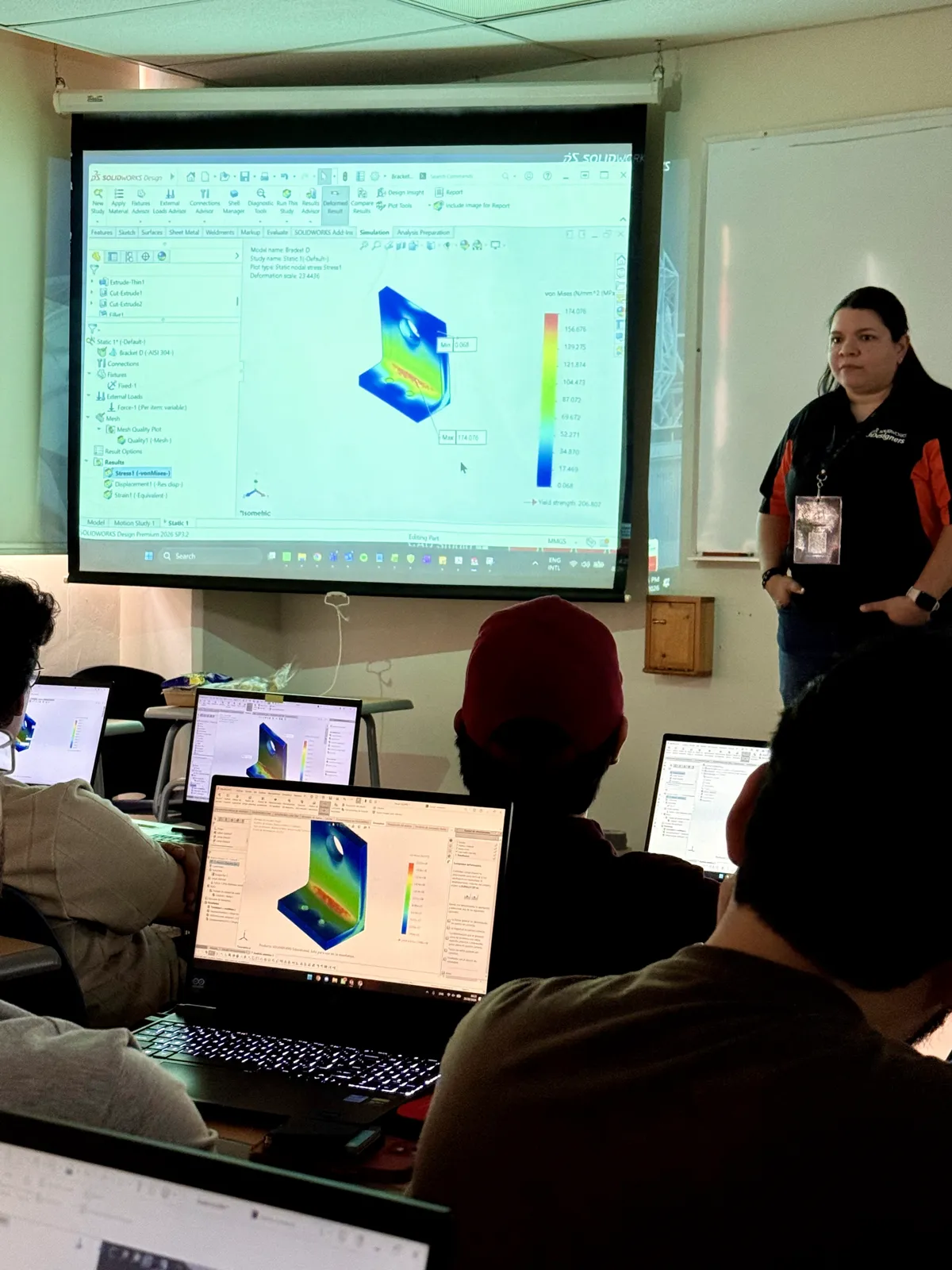
Clear explanations, guided practice and time for questions.
During training, your team works through the official program content and exercises. The instructor explains the tools, guides practice and addresses participants' questions.
- Structured content that builds progressively.
- Exercises to practice the tools covered in the program.
- Instructor guidance throughout the sessions.
- Training selected for your team's experience and needs.
| Item | Details |
|---|---|
| Delivery format | Live instructor-led online training or on-site training at the client's facilities, subject to availability and proposal conditions. |
| Language | Spanish or English, as agreed for the group. |
| Materials | The official printed training manual in the selected language, sent to the company through the agreed delivery arrangements. |
| Scheduling | Dates and session arrangements confirmed in the proposal. |
| Participation | A certificate of participation upon completion of training. |
Validate your skills with SOLIDWORKS certification.
Certifications demonstrate knowledge and skills through specific exams. We help you choose a goal that matches your experience and identify what to strengthen before taking an exam.
From your first training to SOLIDWORKS Design Expert
Stage 1 · AssociateCSWA
The foundations of parts, assemblies and drawings, with its official certification.
Training
Stage 2 · ProfessionalCSWP
Assemblies and complex geometry: the stage's official training and its official certification.
Stage 3 · AdvancedCSWPA
Five specialties, each with its official training and its official certification.
Training → Certification (exam)
- Drawings
CSWPA Drawing Tools
- Sheet Metal
CSWPA Sheet Metal
- Weldments
CSWPA Weldments
- Surface Modeling
CSWPA Surfacing
- Mold Design
CSWPA Mold Tools
- Drawings
Stage 4 · ExpertCSWE
The expert level in mechanical design with SOLIDWORKS.
Training
No training of its own: it brings together the CSWP and the CSWPA.
Path rules
- Every advanced training (those after Design Essentials) requires having taken Design Essentials or holding the CSWA.
- Surface Modeling and Mold Design also require Advanced Part Modeling.
- The Professional stage is built with Assembly Modeling and Advanced Part Modeling.
- Each CSWPA exam requires a passed CSWP.
- The CSWE requires a passed CSWP and 4 of the 5 CSWPA.
Having used SOLIDWORKS is not the same as being ready for a certification exam. If you are not sure about your level, take the quick check. Go to the quick check
Requirements may change; we confirm the current ones when you contact us.
Find your next step
Three quick questions. Your answers are not sent or stored.
CSWA
Certified SOLIDWORKS Associate
Validate foundational SOLIDWORKS design skills, including parts, assemblies and drawing interpretation.
Explore CSWA certificationCSWP
Certified SOLIDWORKS Professional
Demonstrate broader proficiency in parametric part and assembly modeling.
Explore CSWP certificationCSWE
Certified SOLIDWORKS Expert
For experienced users seeking to validate advanced modeling skills. Requires a passed CSWP and at least 4 of the 5 CSWPA.
Explore CSWE certification
Specialty certifications (CSWPA) are in stage 3 of the path: choose the ones that match your work.
View all SOLIDWORKS certificationsA certificate of participation records completion of training. SOLIDWORKS certification is earned by passing the relevant exam. Any included exam credits are confirmed in the proposal.
Do you represent an educational institution?
Learn about our support for educators and students, and certification options associated with educational licensing.
Explore our education offeringWhat our clients value about training.
“The training delivered by 3Designers has helped us use SOLIDWORKS efficiently and discover new ways to approach our designs — and through it all, they demonstrated their deep expertise across all SOLIDWORKS tools.”
Training and certification FAQs.
Do I need previous experience?
It depends on the training. The catalog lists the prior knowledge for each program. Before preparing a proposal, we review participants' experience and learning needs with you.
Is training online or on-site?
We offer live instructor-led online training and on-site training at the client's facilities. Availability and conditions are confirmed in the proposal.
Which languages are available?
We can arrange training in Spanish or English. The language of the sessions and manual is agreed when preparing the proposal.
What does each participant need for practice?
Hardware, installation, licensing and connectivity requirements depend on the training and delivery format. We review these during coordination; software licensing should not be assumed to be included in training.
Does completing training give me a SOLIDWORKS certification?
No. A certificate of participation and a SOLIDWORKS certification are different. Certification requires passing the relevant exam. Exam credits and any additional preparation are confirmed separately in the proposal.
How do I request a proposal for my team?
Tell us which training interests you, the approximate number of participants and the skills they need to develop. If you are unsure where to start, tell us which tools your team uses and what they need to accomplish.
Let's discuss training for your team.
Tell us which tools your team uses, what they need to learn and how many people would take part. We help you define the next step.