
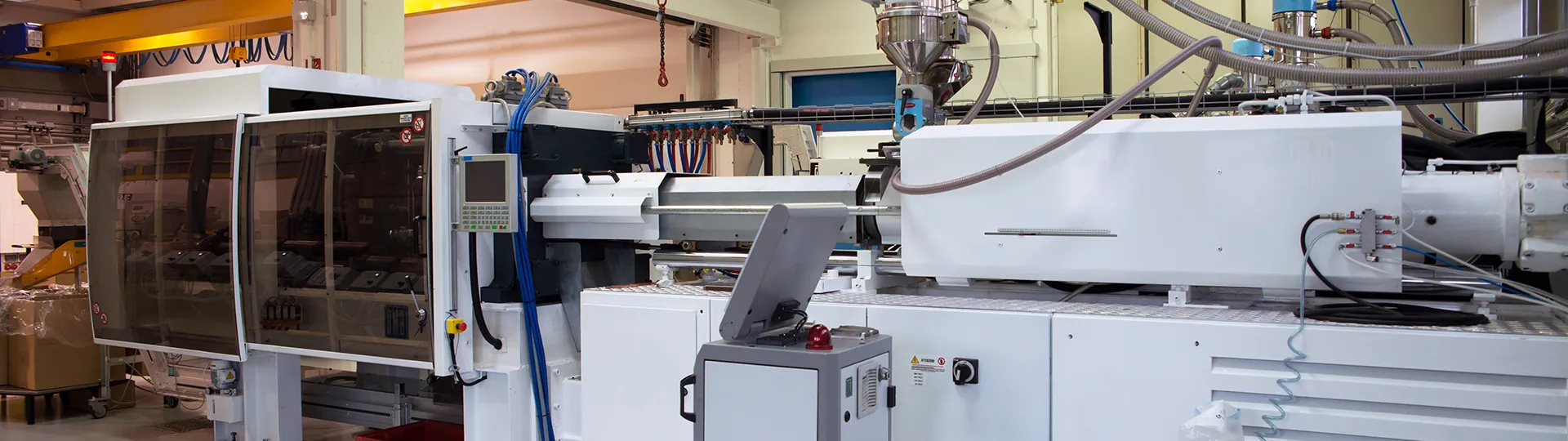
Injection molding machine on a production floor

Simulation · Injection molding

SOLIDWORKS Plastics

Predict and avoid manufacturing defects in plastic part and injection mold designs, eliminating costly rework, improving part quality, and decreasing time to market.

Why choose SOLIDWORKS Plastics?

SOLIDWORKS® Plastics delivers easy-to-use simulation for analyzing plastic parts and injection molds. It simulates how melted plastic flows during the injection molding process to predict manufacturing-related defects so you can quickly evaluate part manufacturability while you design. Injection molding is the manufacturing method used to produce more than 80% of all plastics products.

Predict manufacturing defects such as weld lines, air traps, sink marks, shrinkage, and warpage.

  • Prevent manufacturing errors. Easily identify and correct potential manufacturing errors during the design process.
  • Eliminate expensive mold rework. Sidestepping rework saves money and weeks of lost production time.
  • Reduce secondary processes. An optimized molding process cuts the need for polishing, deburring or flash removal.
  • Optimize cycle times. Shorter cycles enable more cycles and more productivity.
  • Reduce material waste. Optimal placement of runner channels and vents reduces material consumption.
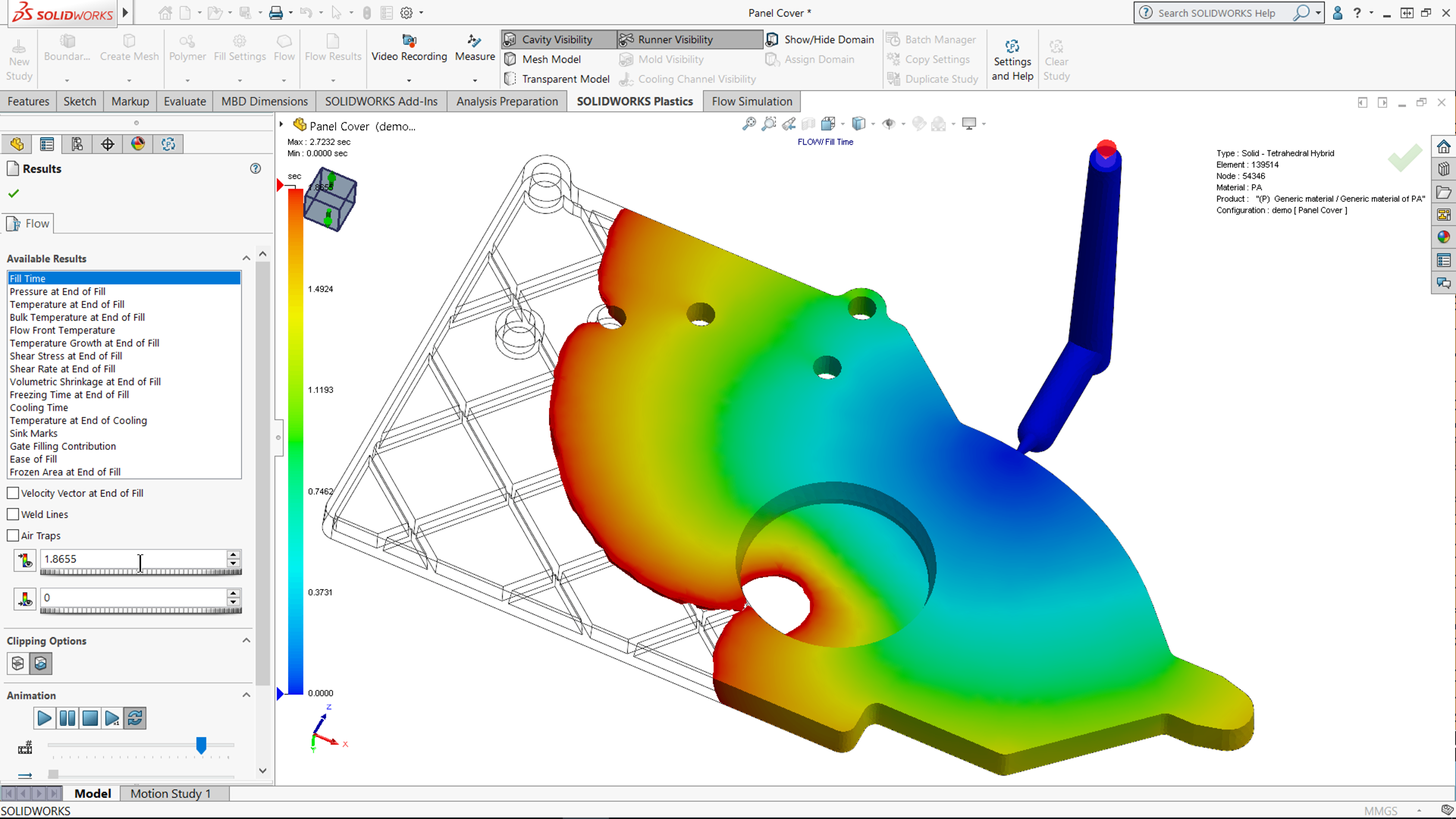
Fill Time simulation result for a plastic part in SOLIDWORKS Plastics
A “Fill Time” result from a part analyzed in SOLIDWORKS Plastics.

How you benefit from SOLIDWORKS Plastics

Manufacturability from the start

Assess whether your part can be manufactured in the earliest design stages, when changes cost less.
Built into SOLIDWORKS

Analyze and modify parts in the same environment where you optimize form, fit and function.

Fast, accurate testing

Complex simulation functions through an intuitive, streamlined interface.

Key capabilities

Fast

  • Optimize mold design early to reduce rework and hidden manufacturing costs.
  • Minimize defects and scrap through early manufacturability analysis.
  • Accelerate time to market with predictive validation and automated reporting and collaboration.

Reliable

  • Analyze fill time, pressure, temperature, cooling, and cycle time.
  • Predict weld lines, air traps, sink marks, shrinkage, and warpage.
  • Share results with eDrawings® and export to Abaqus®, Ansys®, and Digimat®.

Integrated

  • Work with native SOLIDWORKS files.
  • Associate with SOLIDWORKS geometry.
  • Design right in SOLIDWORKS 3D CAD.

Comprehensive

  • Generate meshes automatically or follow guided creation and analysis workflows.
  • Refine meshes globally or locally for greater precision.
  • Build solid 3D meshes and boundary (shell) meshes for complete model coverage.

Versatile

  • Design sprues, runners, and hot/cold runner systems.
  • Support multi-cavity and family mold layouts.
  • Optimize cooling with cooling lines, baffles, bubblers, and conformal channels.
  • Simulate mold inserts and cyclic/symmetric cavity runner layouts.

Extensive database

  • Select from thermoplastic, thermoset, mold material, and coolant databases.
  • Customize your material database.

Powerful

  • Model the filling phase to track material flow through the mold.
  • Analyze packing phase behavior to optimize shrinkage, pressure, and density.
  • Evaluate cooling performance to minimize cycle time.
  • Predict warpage to ensure dimensional accuracy in the final part.

Advanced

  • Simulate overmolding, co-injection, and gas- and water-assisted molding.
  • Analyze fiber orientation, birefringence, and venting performance.
  • Support valve gates and mold insert simulations.
  • Optimize cooling with conformal cooling analysis.

Which SOLIDWORKS Plastics package is right for you?

Each package includes everything in the previous one.

SOLIDWORKS Plastics Standard

Ensure parts are manufacturable during the design process. Easy to learn and use, it is fully embedded within SOLIDWORKS CAD so you can analyze and modify part designs at the same time you optimize for form, fit and function.

SOLIDWORKS Plastics Professional

Builds upon Standard to analyze mold designs. Quickly analyze single- and multi-cavity and family mold layouts, including sprues, runners and gates, to estimate cycle time and optimize feed system design.

SOLIDWORKS Plastics Premium

Includes Professional with advanced simulation functionality to analyze mold cooling line layouts and part warpage. Optimizing cooling lines minimizes cycle times and decreases manufacturing costs.

The solution you choose, backed by 3Designers.

We help you choose the right tools for your projects and support your team with implementation, official training and local technical support from certified specialists.

Let's talk about your projects →

Frequently asked questions

Which package do I need?

If you design plastic parts and want to check they can be manufactured, Standard is the starting point. If you also design the mold (cavities, sprues, runners and gates), you need Professional. To analyze mold cooling and part warpage, Premium.

Do I need a SOLIDWORKS Design license?

SOLIDWORKS Plastics is embedded in SOLIDWORKS CAD, so you work on your own parts without exporting files. We'll advise you on the right license for your team.

How can I learn SOLIDWORKS Plastics?

At 3Designers, our certified specialists train you and your team in best practices, alongside official SOLIDWORKS resources.

More simulation solutions

SOLIDWORKS Simulation

Finite element structural analysis (FEA) built into SOLIDWORKS.

  • Static, fatigue and motion
  • Frequency, buckling and thermal
  • Dynamics, nonlinear and composites
Learn more →

SOLIDWORKS Flow Simulation

Computational fluid dynamics (CFD) built into SOLIDWORKS.

  • Liquid and gas flow
  • Heat transfer
  • Fluid forces on your design
Learn more →

Simulation on the Cloud

Structural, fluid and electromagnetic simulation in the cloud, connected to SOLIDWORKS.

  • Advanced analyses
  • Cloud computing power
  • Connected to SOLIDWORKS
Let's talk about this solution →

Which plastic parts do you need to validate?

Tell us about your project and we'll help you choose the right SOLIDWORKS Plastics package for your team.