
Integrated in SOLIDWORKS Design
Simulate as easily as you design, without leaving the SOLIDWORKS interface.

Simulation
Evaluate how your designs respond to loads, vibration, and temperature before manufacturing. Compare alternatives and make decisions with technical guidance from 3Designers.
SOLIDWORKS® Simulation lets you optimize and validate your designs with easy-to-use FEA simulation tools built directly into your SOLIDWORKS design environment. Test designs for strength, durability, motion, heat transfer and much more.
Simulate as easily as you design, without leaving the SOLIDWORKS interface.
Predict performance with virtual testing, make informed decisions and spend less on physical prototypes.
Proven simulation technology with more than 12 built-in structural FEA analysis types.
Identify the conditions that may affect your product’s performance and the analyses that can help you compare alternatives.
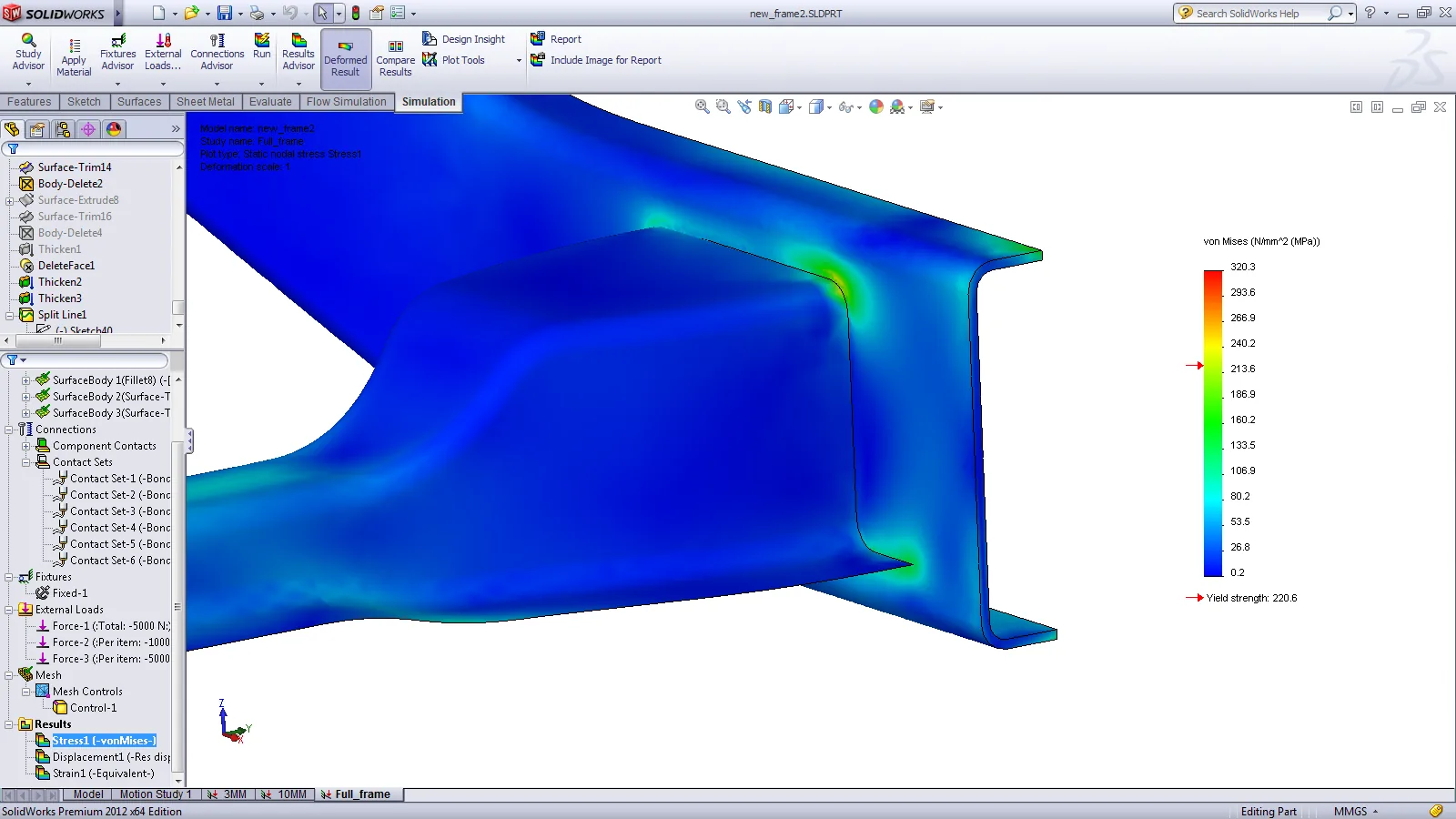
Will it withstand operating loads?
Evaluate stress, displacement, and factor of safety under the defined loads and restraints. Compare changes in geometry or material.
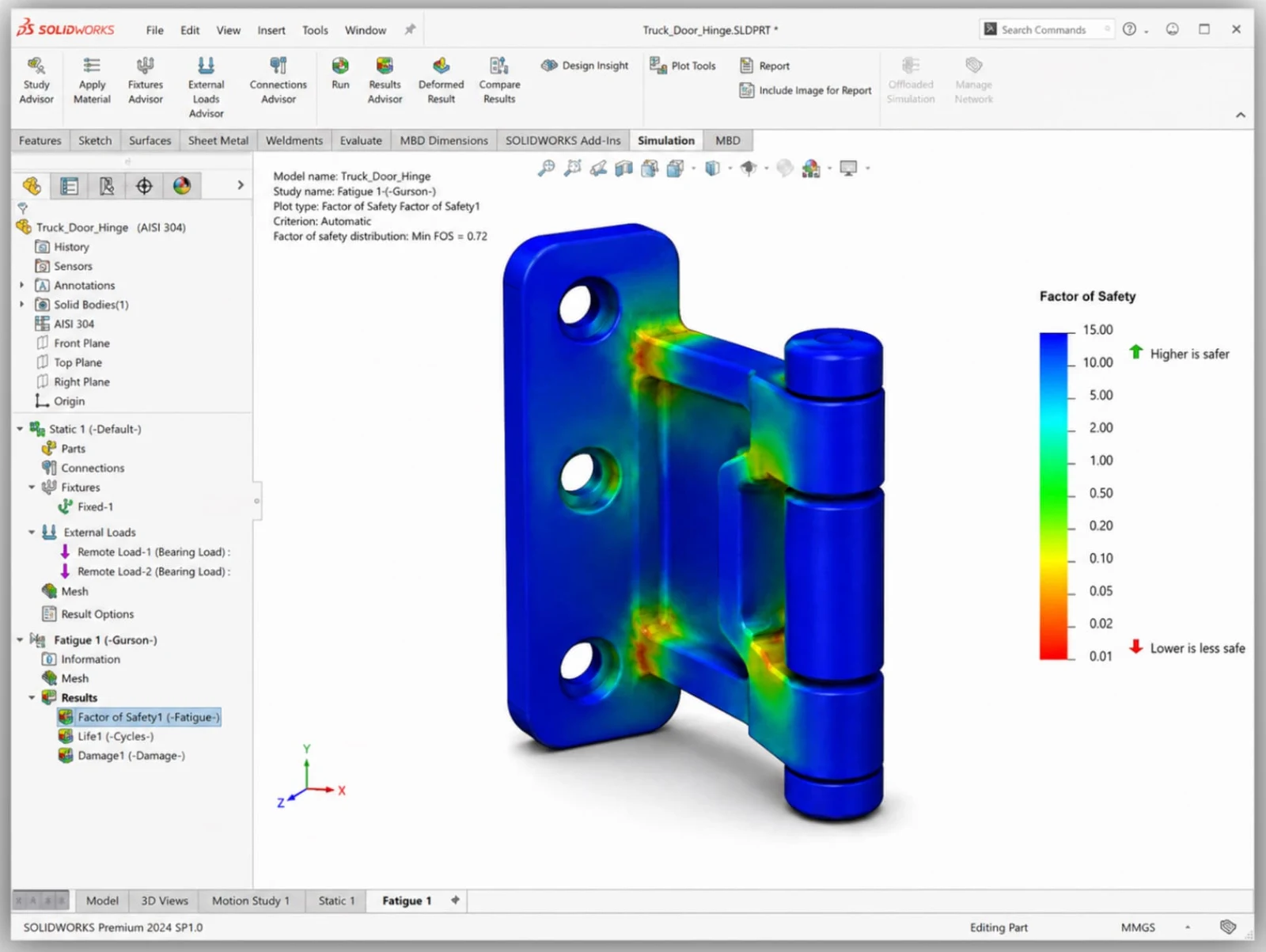
How will it respond to repeated use?
Estimate fatigue life and identify areas of accumulated damage under the specified load cycles. Useful for hinges, brackets, and mechanism components.
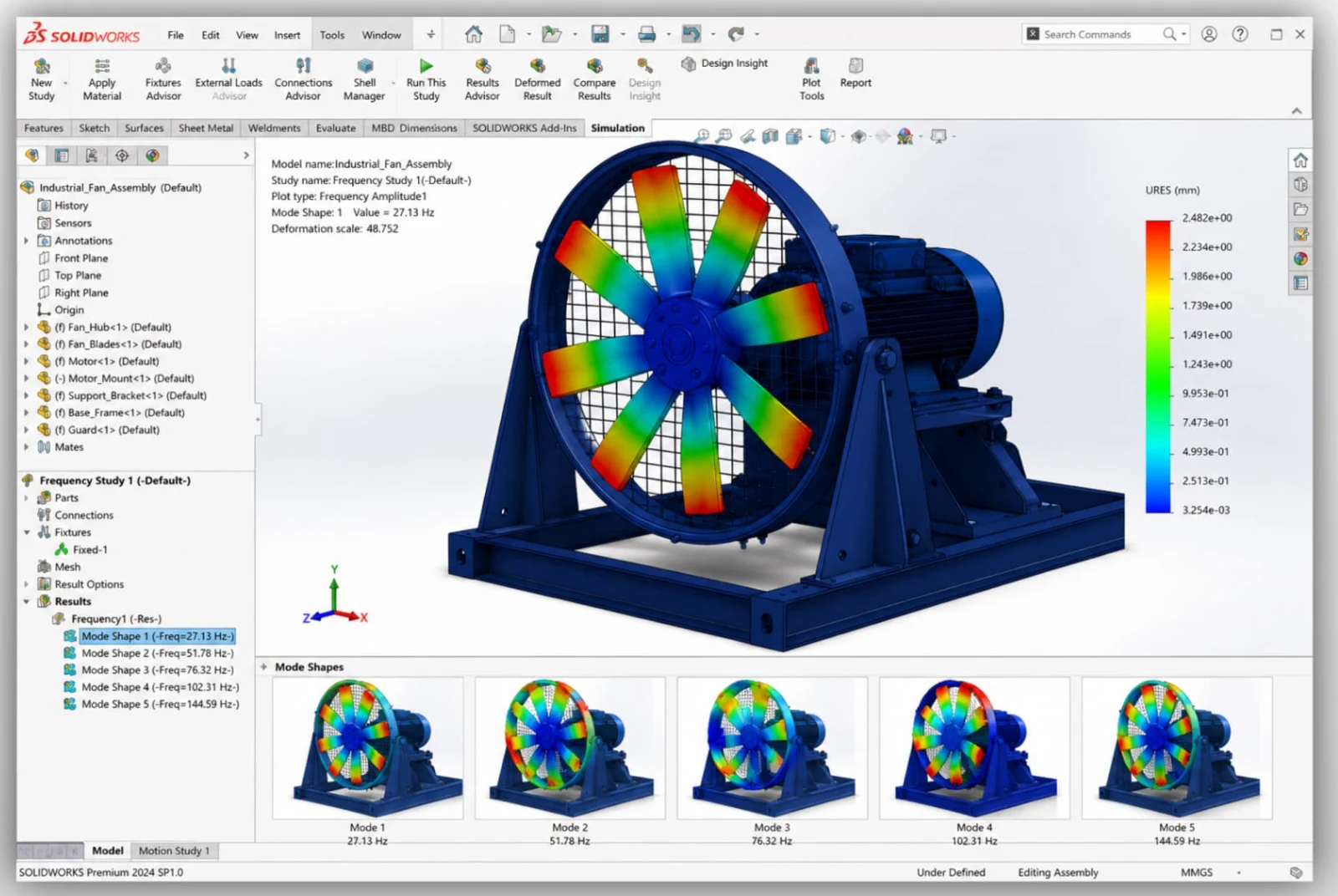
Is there a risk of resonance?
Identify vibration modes and compare natural frequencies with the excitation frequencies expected during operation.
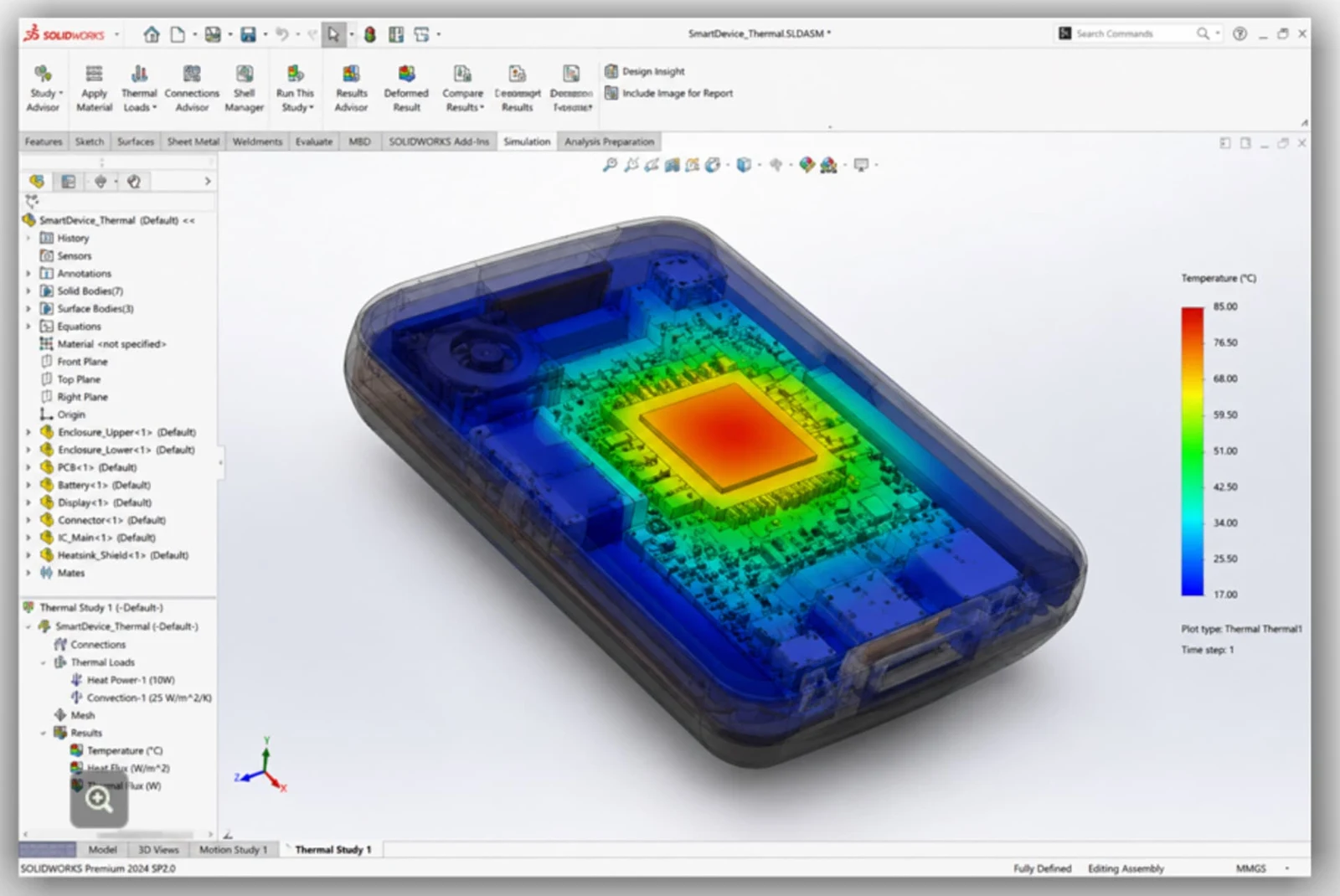
Where does heat build up?
Evaluate temperatures and heat transfer to compare materials, interfaces, and heat dissipation options.
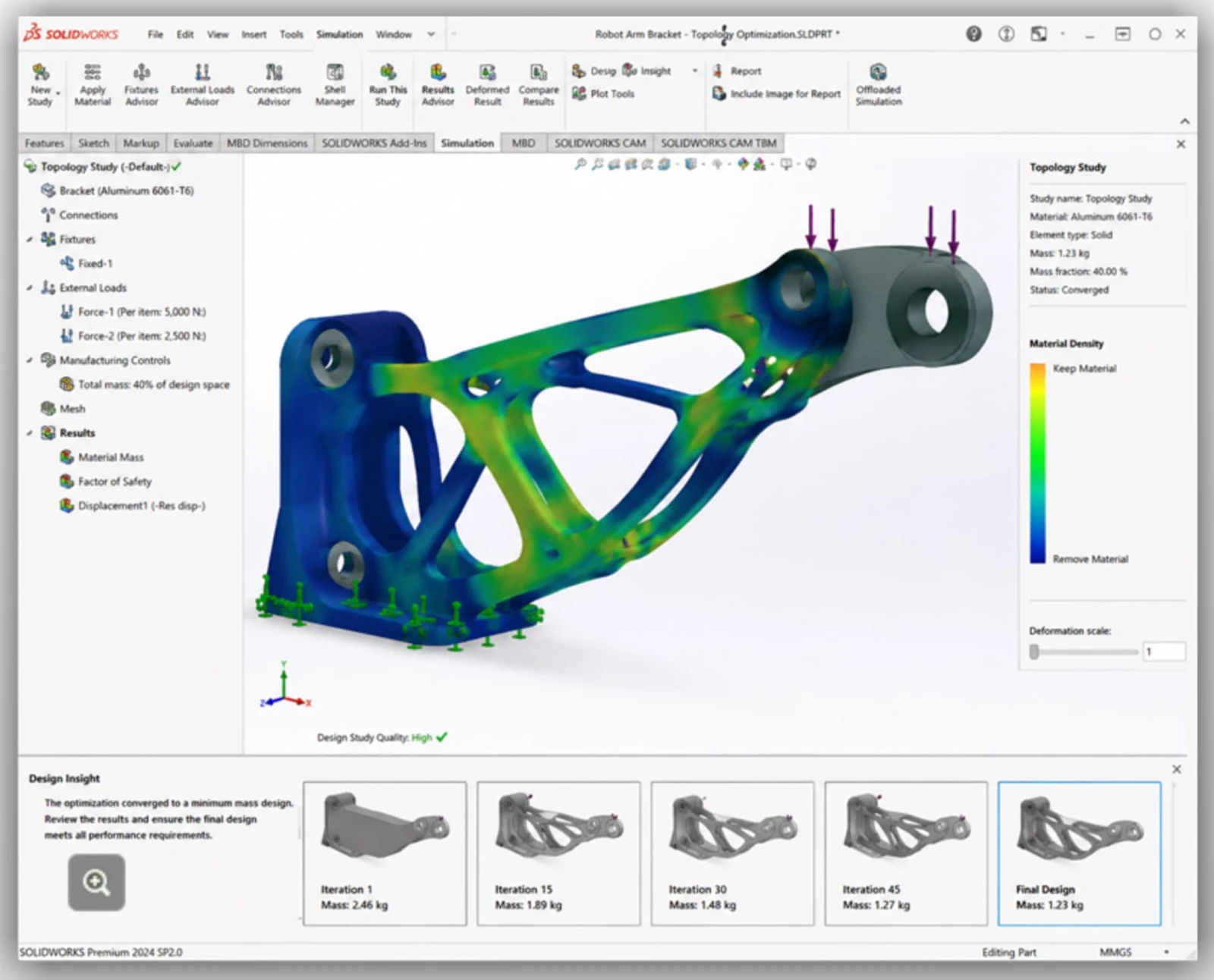
Can we reduce weight and material?
Explore material distributions based on defined loads, constraints, and objectives. Use the results to guide the design and review how it can be manufactured.
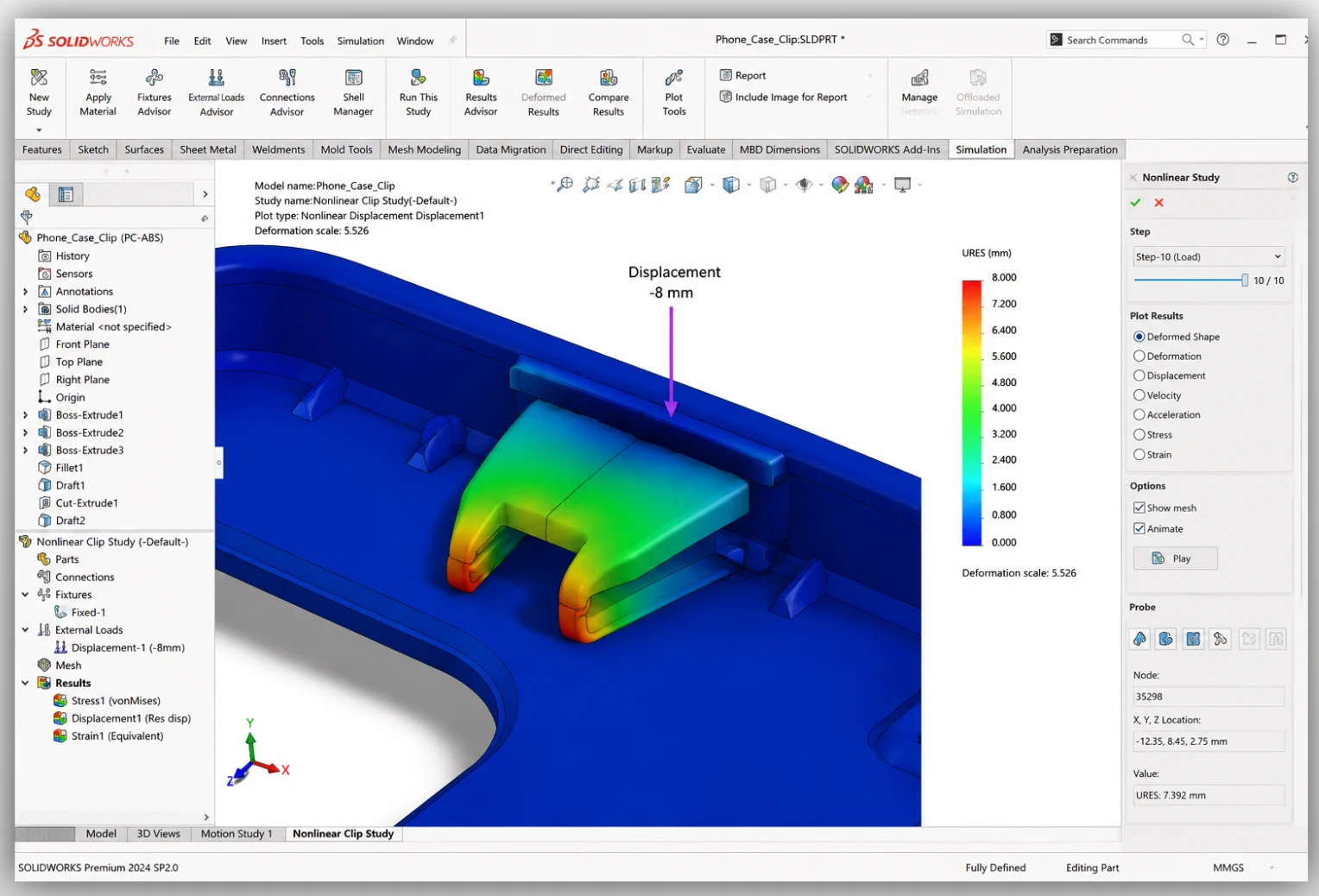
What happens with large deformations?
Evaluate situations involving changes in geometry, contact, or material response, such as clips, seals, and components with permanent deformation.
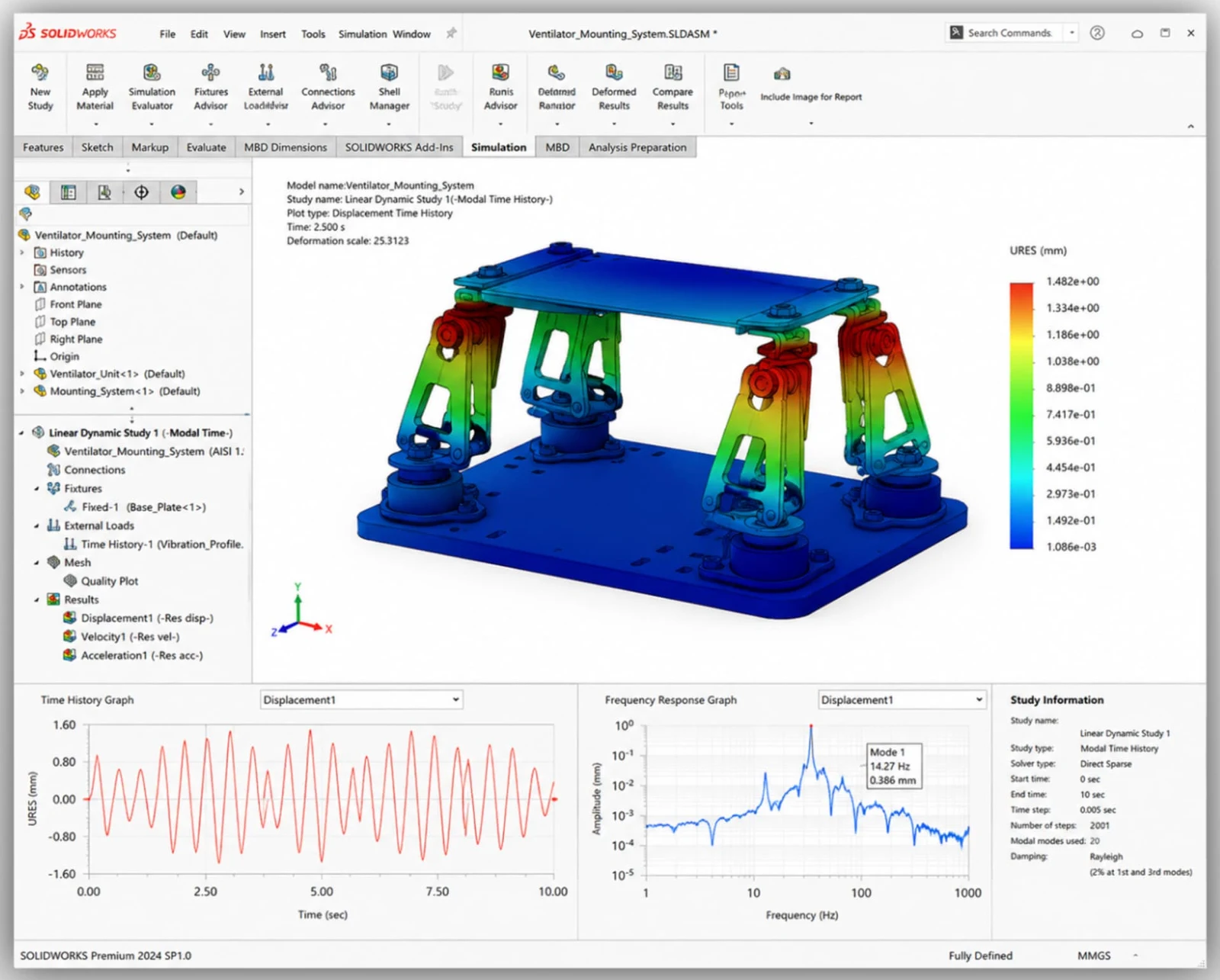
How does it respond to vibration and varying loads?
Study structural response to excitation that varies over time or with frequency, within the assumptions of linear analysis.
Study availability depends on the package. See the comparison below.
We help you choose the right package for the analyses your team needs.
Strength, fatigue, and motion
For evaluating strength, fatigue, and mechanism motion.
Get a SOLIDWORKS QuoteTemperature, vibration, and optimization
Extend your evaluations to temperature, natural frequencies, buckling, and optimization, among other studies.
Get a SOLIDWORKS QuoteNonlinear analysis and advanced dynamics
For studying nonlinear behavior and more complex dynamic responses.
Get a SOLIDWORKS QuoteExplore what Standard, Professional and Premium include, based on the official product matrix.
✓ Included · — Not included
Swipe horizontally to see all packages →
| Capability | Standard | Professional | Premium |
|---|---|---|---|
| Linear static simulation | |||
| Fatigue simulation | |||
| Time-based motion | |||
| Frequency simulation | |||
| Buckling (collapse) simulation | |||
| Thermal simulation | |||
| Drop test simulation | |||
| Topology optimization studies | |||
| Linear dynamic simulation | |||
| Nonlinear simulation | |||
| Composites simulation |
We help you choose the right tools for your projects and support your team with implementation, official training and local technical support from certified specialists.
SOLIDWORKS Design Premium and Ultimate include linear static and motion analysis. For frequency, buckling, thermal, nonlinear and more, you need SOLIDWORKS Simulation Professional or Premium.
Standard covers essential validation (linear static, fatigue and motion). Professional adds frequency, buckling, thermal, drop test, topology and more. Premium adds linear dynamic, nonlinear and composites analysis.
No. SimulationXpress is a basic static analysis tool included in SOLIDWORKS; SOLIDWORKS Simulation offers many more study types, assemblies and results control.
It uses the finite element method (FEA): it divides the model into a mesh and calculates how each element responds to loads, fixtures and materials, directly on your SOLIDWORKS geometry.
Yes, its solvers are verified against industry benchmark cases. Accuracy also depends on correctly defining materials, loads, fixtures and mesh; our training shows you how.
The choice depends on the materials, loads, and behavior you need to study. At 3Designers, we review your application to guide you toward the relevant capabilities.
Integration with SOLIDWORKS makes it easier to work with your CAD models. Useful results also require correctly defining and interpreting materials, loads, contacts, and the mesh. We support your team with official training and specialized technical support.
It helps compare alternatives and identify risks before manufacturing. It complements the physical testing required for the product, its operating conditions, and the project requirements.
At 3Designers we deliver official SOLIDWORKS Simulation training, onsite and remote.
Computational fluid dynamics (CFD) built into SOLIDWORKS.
Injection molding simulation for plastic parts and molds.
Structural, fluid and electromagnetic simulation in the cloud, connected to SOLIDWORKS.
Tell us what your team designs and which analyses it needs. At 3Designers we help you choose the right simulation package.