
Evaluate before manufacturing
Compare flow and temperature alternatives to identify design changes before investing in additional physical iterations.

Simulation · CFD
Evaluate how liquids and gases flow and how heat is transferred in your designs. Compare alternatives before manufacturing, with technical guidance from 3Designers.
SOLIDWORKS® Flow Simulation is a computational fluid dynamics (CFD) solution integrated into SOLIDWORKS Design. It lets you study internal and external flow, heat transfer, and fluid forces to compare how your design responds to defined conditions.
Compare flow and temperature alternatives to identify design changes before investing in additional physical iterations.
Set up and review studies within SOLIDWORKS Design, linked to your project geometry.
Use pressure, velocity, and temperature results to guide changes in geometry, components, and operating conditions.
Start with a design question and explore the insights simulation can provide.
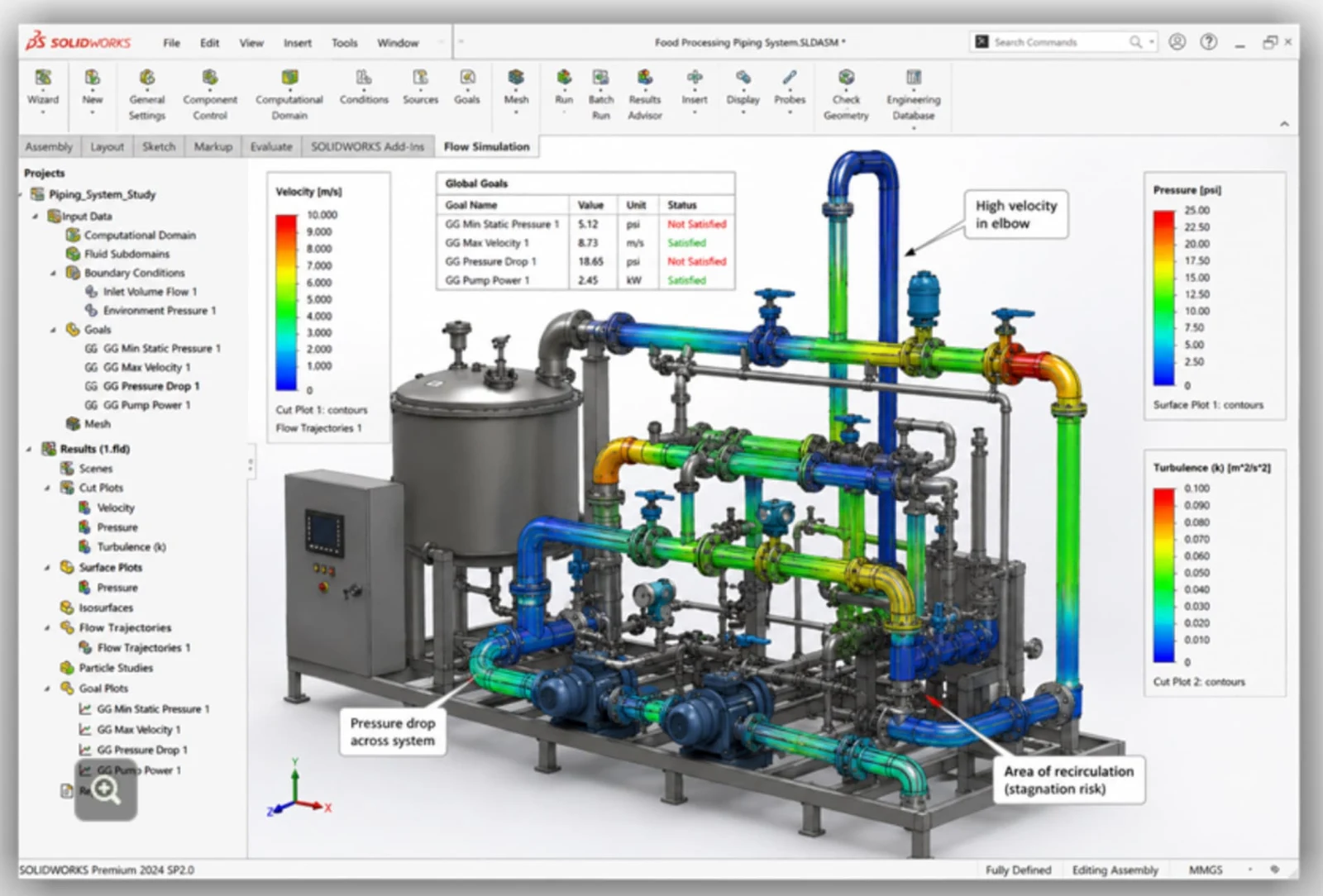
Does the fluid reach its destination at the required flow rate and pressure?
Evaluate pressure, velocity, and flow distribution in pipes, valves, and ducts. Compare diameters, routing, and components to identify restrictions, recirculation, and low-velocity regions.
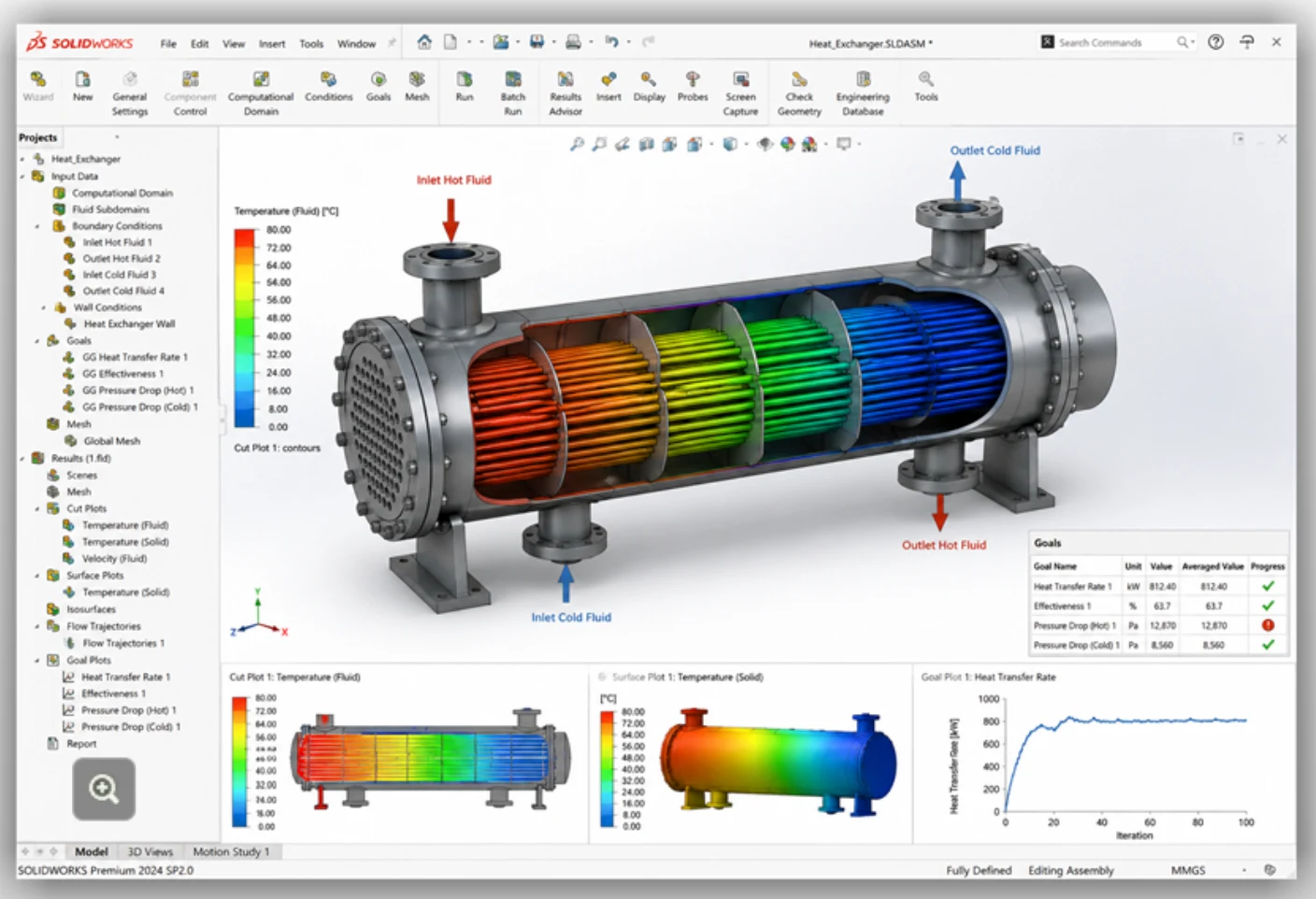
Does your equipment transfer enough heat?
Analyze temperature distribution and heat exchange between fluids and solids. Compare flow rates, materials, and geometries in heat exchangers and cooling circuits while also considering pressure loss.
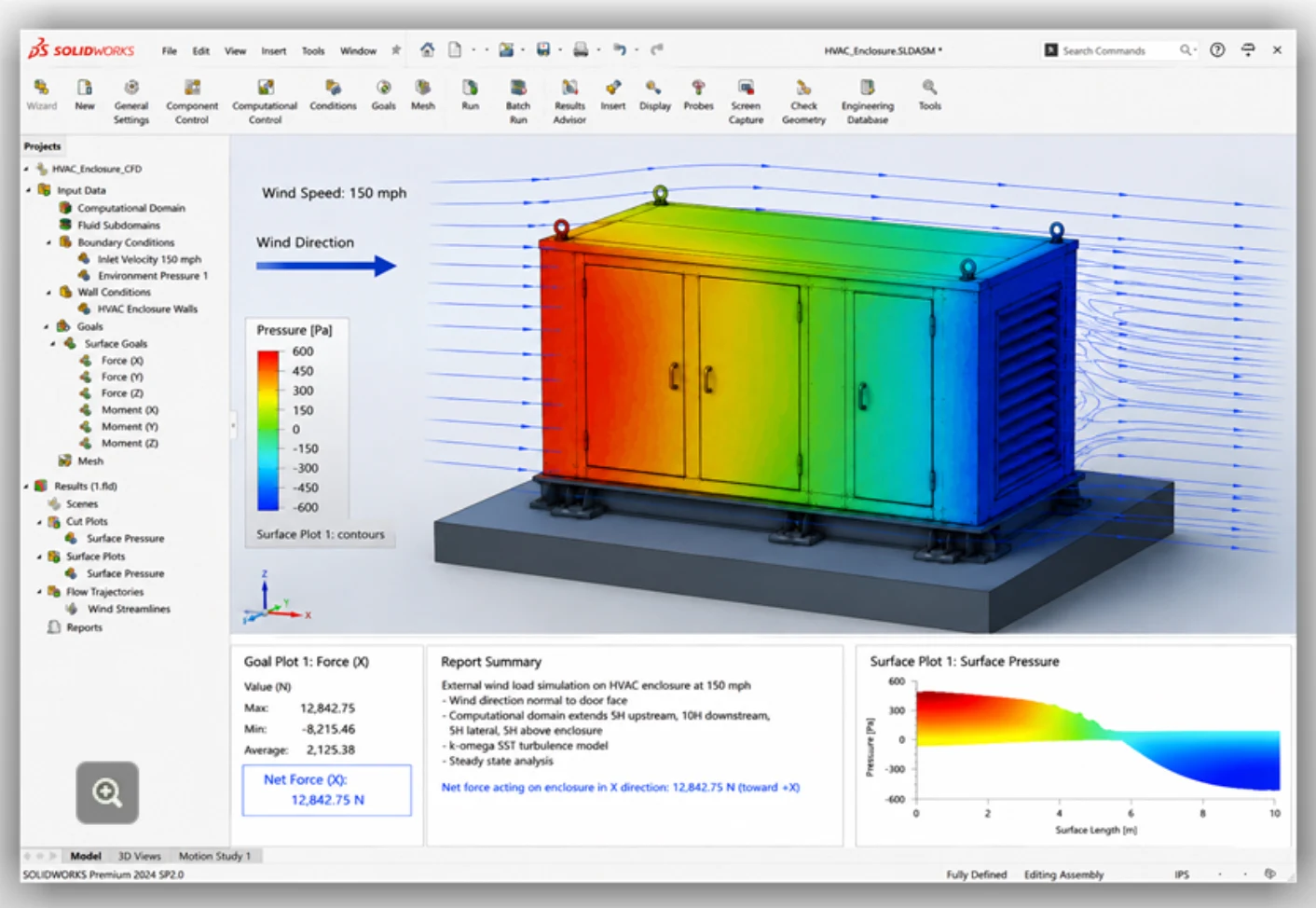
What pressures and forces does external flow generate?
Study pressure distribution and air forces on exposed enclosures and equipment. Compare geometries and orientations. To evaluate stress, deformation, or anchorage, complement these results with a suitable structural analysis.
Is air distributed effectively throughout the space?
Evaluate air and temperature distribution to compare inlet, outlet, and interior layouts.
These specialized tools require the optional HVAC Module and a base SOLIDWORKS Flow Simulation license.
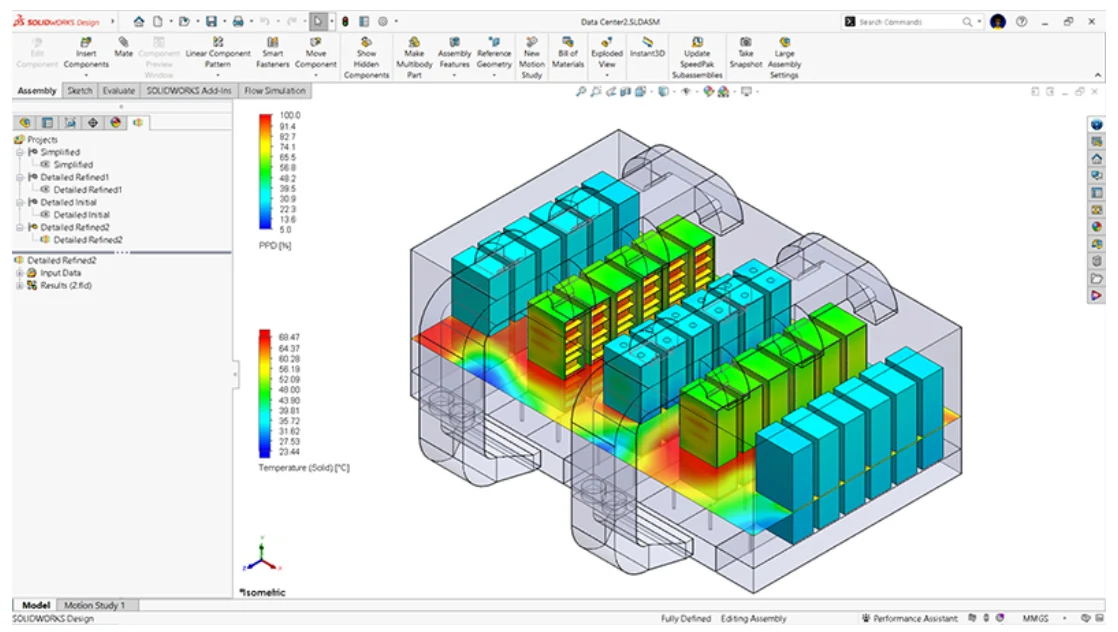
How can you dissipate heat from your components?
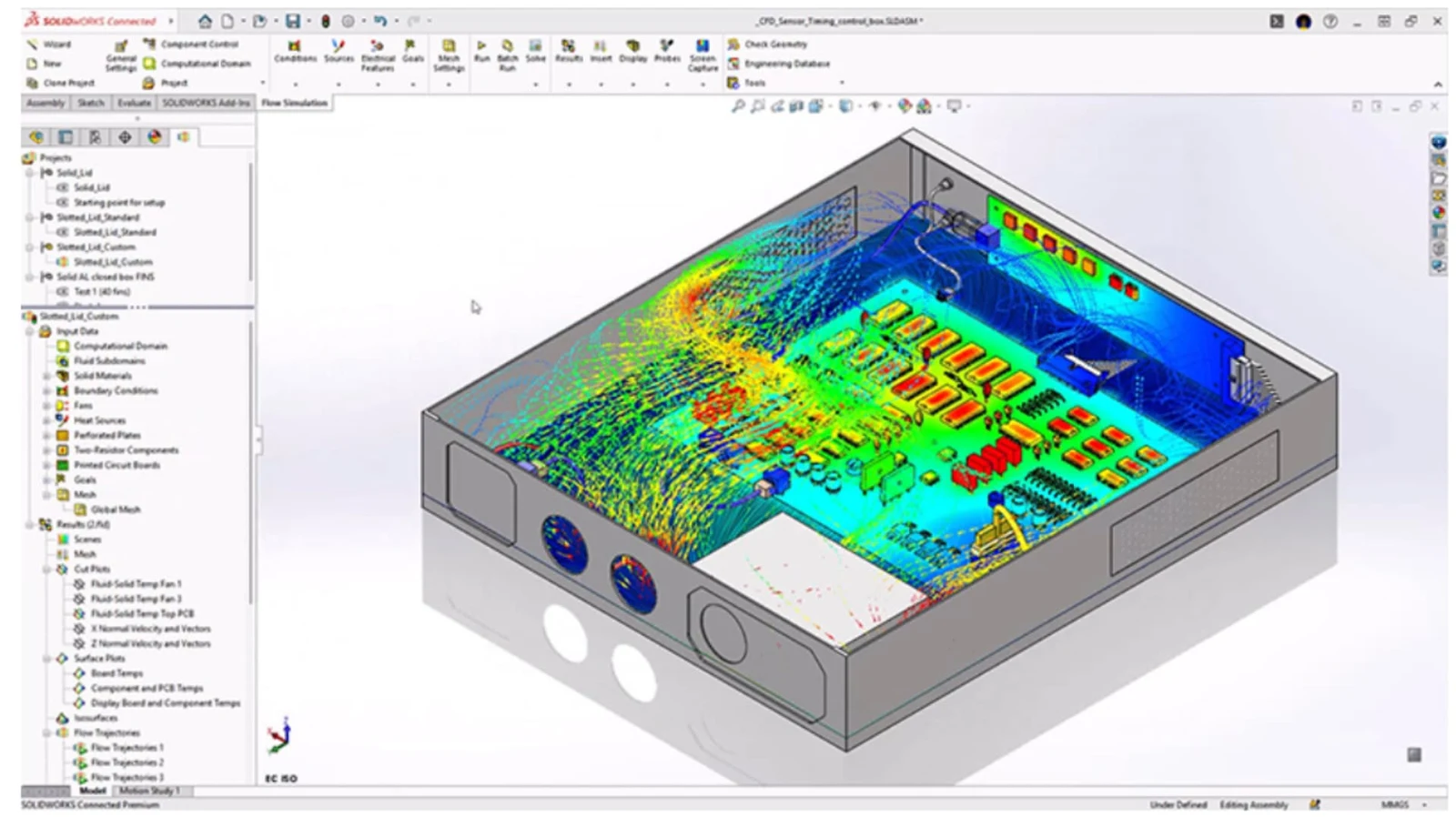
Compare component, fan, heat sink, and enclosure opening layouts to evaluate cooling alternatives.
These specialized tools require the optional Electronics Cooling Module and a base SOLIDWORKS Flow Simulation license.
PDF in English
We help you choose the right tools for your projects and support your team with implementation, official training and local technical support from certified specialists.
It is software that calculates how liquids and gases move and exchange heat under defined conditions. It lets you study pressure, velocity, and temperature to compare design alternatives. SOLIDWORKS Flow Simulation uses a RANS approach to model turbulent flow.
3Designers' certified specialists train you and your team in best practices. You also have the software's built-in tutorials and guidance, MySolidWorks online training and the SOLIDWORKS Resource Center.
It is included in your SOLIDWORKS Design download and installed from the Installation Manager with a dedicated serial number.
Yes. SOLIDWORKS Flow Simulation is a fully integrated add-in, not a standalone program, so you need a SOLIDWORKS Design license (Standard, Professional or Premium). This lets you run CFD directly on your CAD geometry without exporting files.
Yes. Both are optional add-on modules that require a base SOLIDWORKS Flow Simulation license and cannot run independently.
SOLIDWORKS Simulation evaluates structural behavior; Flow Simulation studies fluid flow and heat exchange with the design. Depending on the available studies and licenses, you can transfer pressure and temperature results to use as loads in a structural analysis. The solutions complement each other.
SOLIDWORKS integration and guided setup tools help you get started. Useful results also require defining operating conditions, reviewing the mesh and convergence, and interpreting the results. At 3Designers, we support your team with training and specialized technical support.
You can compare changes in geometry, flow distribution, or cooling to evaluate whether another configuration meets your design goals. The opportunity depends on the product and its operating conditions; a previous failure is not required.
It helps compare alternatives and identify risks before manufacturing. It complements the physical testing and verification required for the product and the project.
Finite element (FEA) structural analysis built into SOLIDWORKS.
Injection molding simulation for plastic parts and molds.
Structural, fluid and electromagnetic simulation in the cloud, connected to SOLIDWORKS.
Tell us about your project and we'll help you set up SOLIDWORKS Flow Simulation for your team.